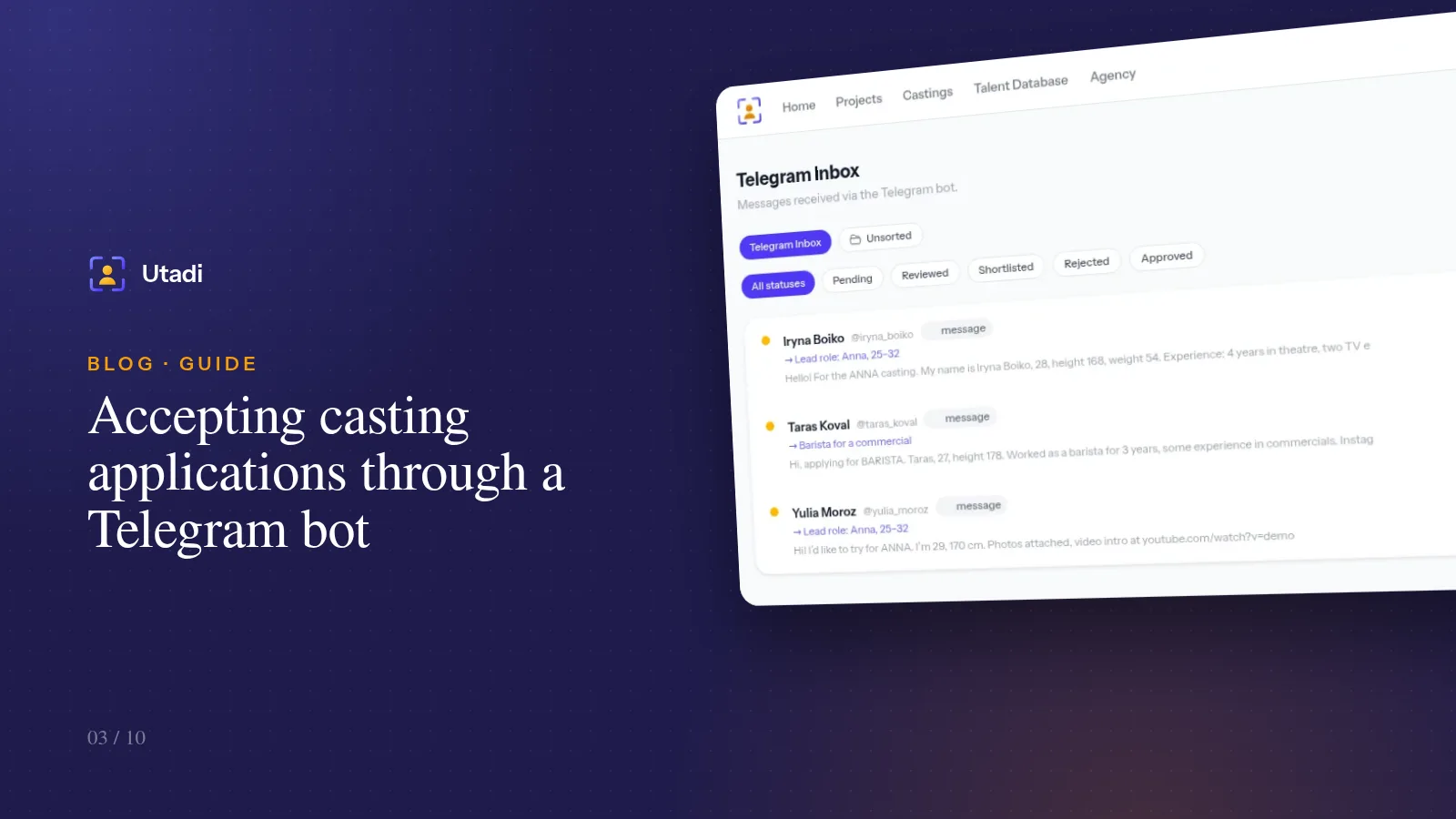
A website form gives you tidy data: the name in the Name field, the height in the Height field. A Telegram message looks different: "Hi! About the ANNA casting. I'm Iryna Boiko, 28, height 168, weight 54, four years of theatre, phone +380…". Everything you need is there, but turning it into a profile means someone copies eight values into eight fields. Across a hundred applications that's hours of mechanical work.
That work can be handed over to AI.
What the AI actually does
A language model reads the text of a message or email and finds the values of the form fields in it: first and last name, age, height, weight, measurements, phone, Telegram, social and video links. The result goes into the processing form — you see the filled fields and check them before saving.
A few important details:
- The fields come from the casting. If the role asks for Name, Age, Height and Phone, that's exactly what the AI looks for. Without a selected casting it uses the standard set of talent profile fields.
- The AI doesn't make things up. If a value isn't in the text, the field stays empty: the model only fills what it found.
- Photos and videos need no parsing. Media from the messages is attached to the application directly; the AI only works with text.
Manual mode: one button
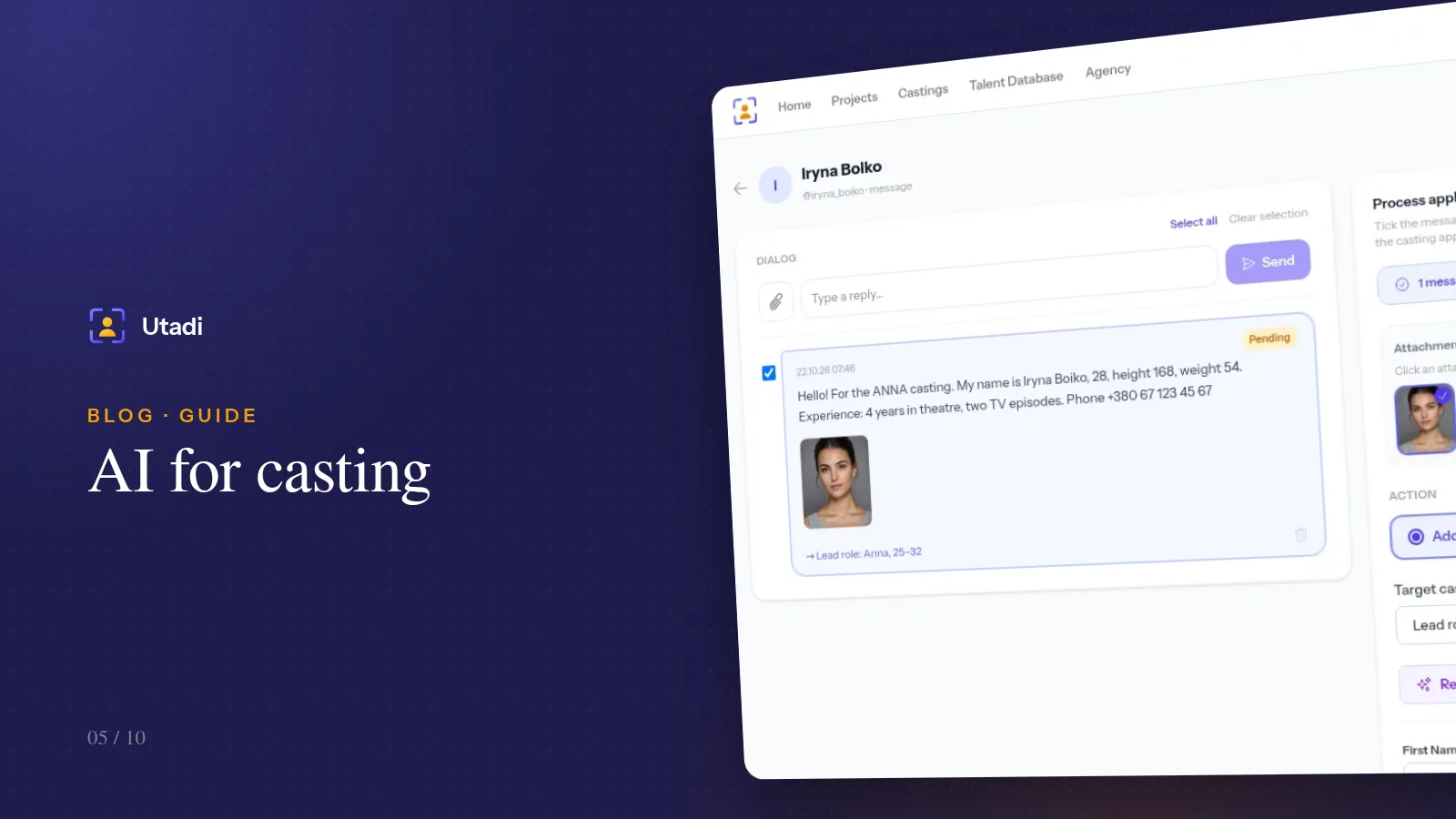
In a Telegram conversation, tick the messages that make up the application, choose the casting and click Recognise selected (AI). In an email the Fill with AI button does the same.
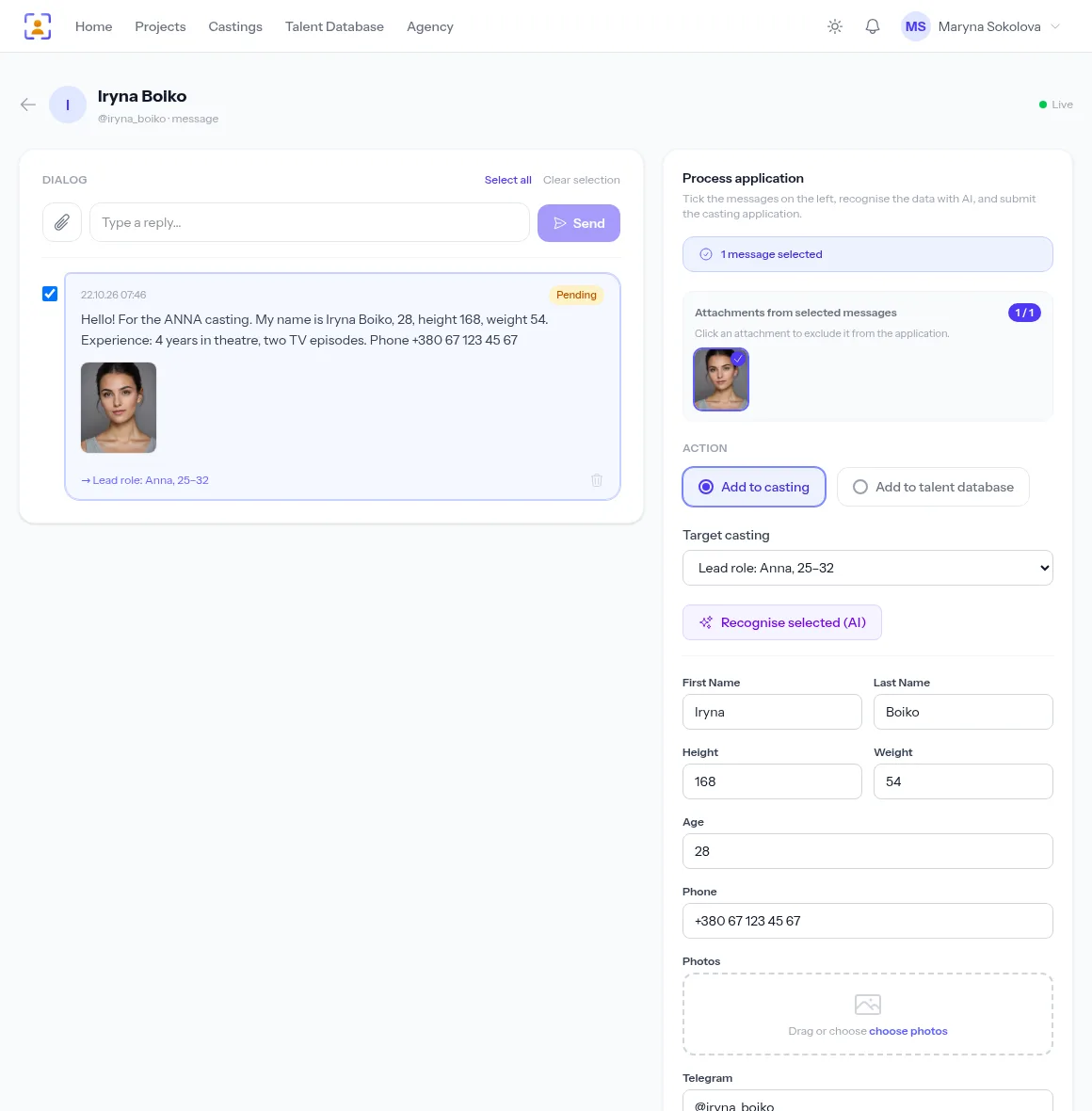
A few seconds later the form is filled. Check the values, fix anything if needed and click Create Application — or add the person straight to your talent database.
Tip. Tick only the candidate's own messages that contain their details. Greetings, "what's the fee?" and your own replies are noise for the model — the cleaner the context, the more accurate the result.
Automatic mode for mass castings
For extras, promo events and commercials with hundreds of replies, switch on AI auto-processing in the casting settings. The toggle sits in the "Application intake" block and works when the casting has a keyword.
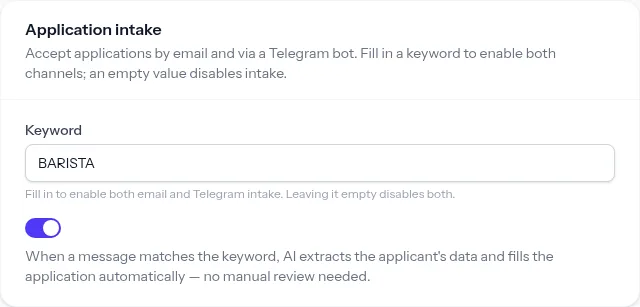
With auto-processing on, every message with the keyword goes through these steps:
- The message arrives at the Telegram bot or the mailbox and becomes an application.
- AI parses the text and fills the form fields.
- Photos and videos from the messages are attached to the same application.
- The application appears in the list with an Auto (AI) badge, ready for selection.
If automatic parsing fails for any reason, nothing is lost: the application stays an ordinary incoming application and you process it by hand. The AI never overwrites values that are already filled.
When to turn auto-processing on — and when not
| Situation | Mode |
|---|---|
| Extras, 100+ replies, basic measurements matter | auto-processing |
| Commercial casting by type, many similar candidates | auto-processing |
| Lead role, every nuance of the profile matters | manual, with the AI button |
| Kids' casting, parents are writing | manual — check whose details are given |
| You want to grow your talent database right away | manual: auto-processing doesn't create database profiles |
Getting the best results from the AI
Parsing quality depends a lot on your casting call. Give actors a template and their messages become more structured:
ANNA
First and last name:
Age:
Height / weight:
Phone:
Video link:
Even if half the candidates ignore it, the other half send their details in a clear order and the AI parses them without errors.
A few more habits:
- Ask for height in centimetres. The AI understands "five foot eight", but "172 cm" is more reliable.
- One profile per sender. If an agent sends three actors in one message, process them by hand, picking the messages for each person.
- Double-check phone numbers. This is the field where a mistake costs most: one wrong digit and you can't reach your finalist.
Data safety
Only the text of the selected messages is sent to the model — no photos, no videos, no other candidates' data. Applications stay in your account and are visible only to your agency's staff.
In short
AI takes the dullest part of a casting director's job off your hands — copying details from messages into profiles. For important roles use the recognise button and check the result; for mass castings turn on auto-processing, and applications from Telegram and email arrive already filled in and ready for selection.
Everything this feature does, on one page: AI casting software.