The casting call is live, and a day later you have 80 replies. Someone sent a perfect profile, someone sent one photo and no name, someone applied three times through different channels. If you open applications in order and decide each one on the spot, your attention fades by number twenty, and by fifty you no longer remember who looked "maybe" at the start.
Below is a system for reviewing large castings in several passes without losing strong candidates.
Every application in one list
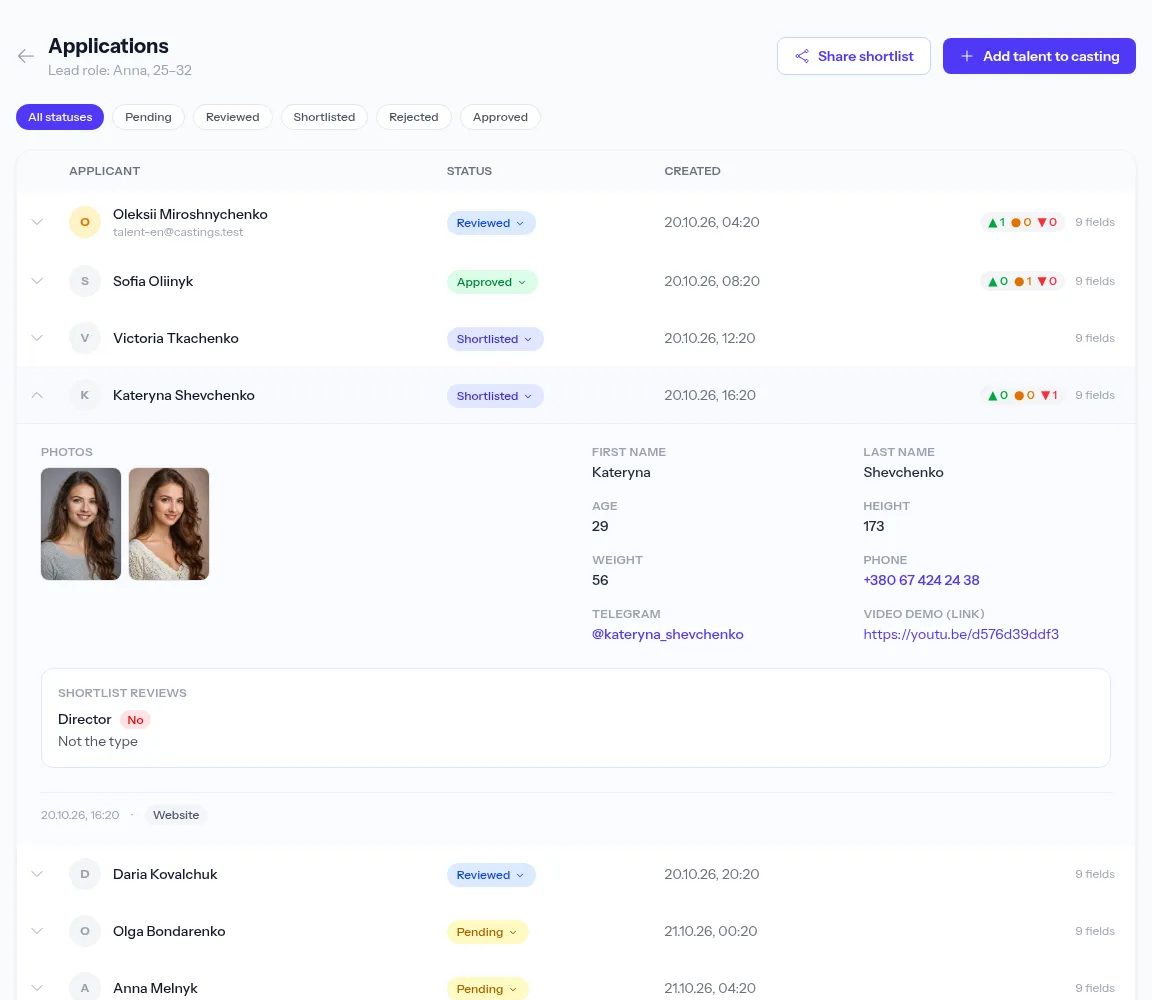
The first condition for fast selection is a single queue. Applications from the website form, messages to your Telegram bot, emails and profiles you added yourself all land in the casting's applications list. Each one shows its source, date and how many fields are filled.
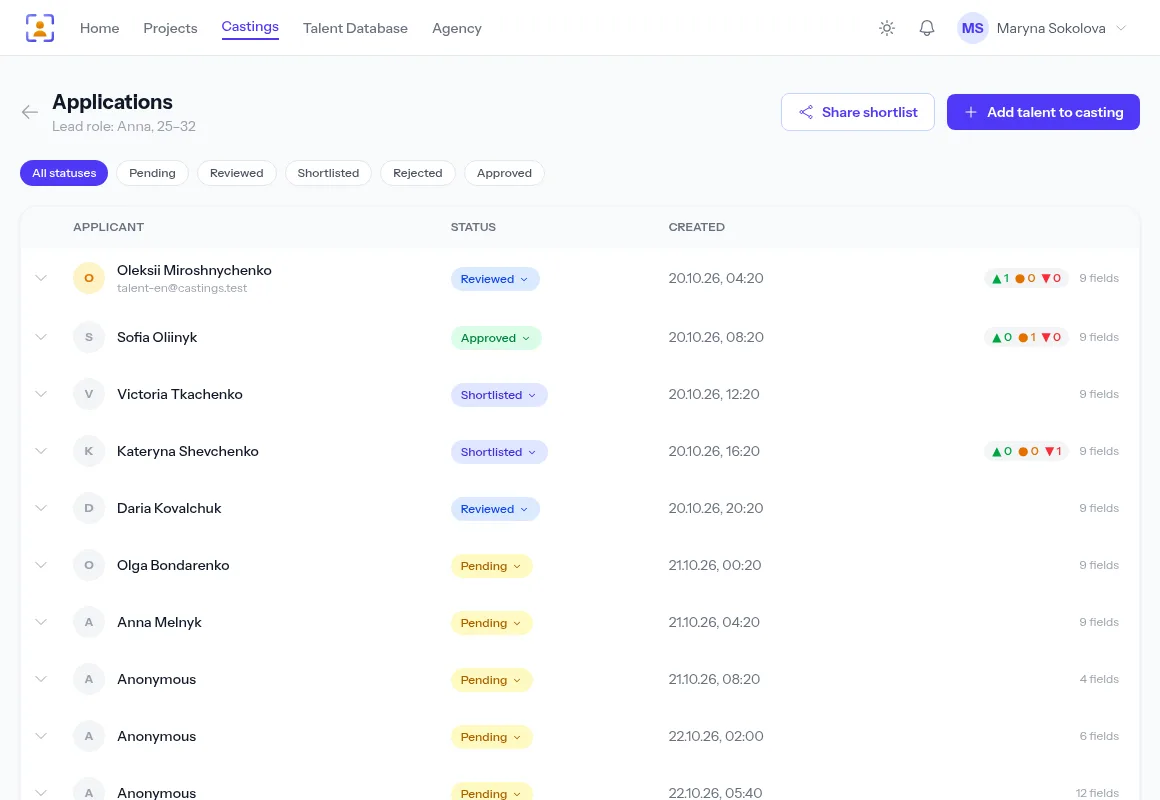
Applications from a messenger or email first show up as "Anonymous": it's a raw message whose data hasn't been split into fields yet. You can process it by hand or let AI do it — see AI parsing of casting applications.
Five statuses and what they mean
Statuses exist so that each decision is made once, not every time you open a profile.
| Status | When to use it |
|---|---|
| Pending | a new application you haven't opened |
| Reviewed | opened, no decision yet |
| Shortlisted | goes through: audition, self-tape request |
| Approved | the role is theirs |
| Rejected | not right for this role |
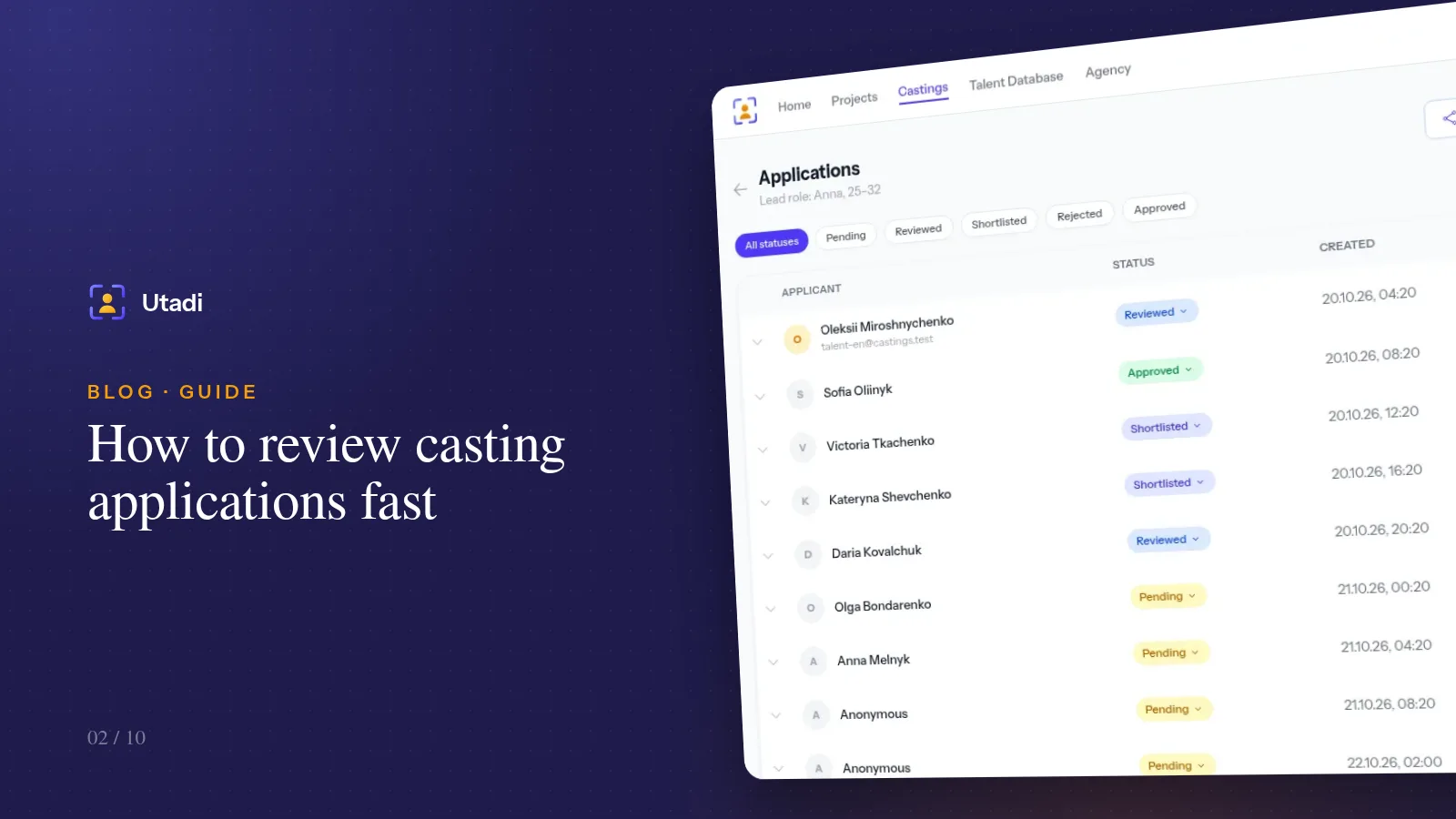
A status filter sits above the list. "Pending" shows what is left to review; "Shortlisted" is your shortlist, ready to show the director.
The three-pass method
Pass one — cut only. Open an application, look at the photos and basic measurements, and make one of two calls: "definitely not" → Rejected, everything else → Reviewed. Don't read the bio, don't watch the video. The goal is to remove obvious mismatches at 5–10 seconds per profile.
Pass two — careful. Filter by "Reviewed". Now read the experience, watch video intros and extra photos. The best go to Shortlisted; leave the doubtful ones as they are.
Pass three — compare. Filter by "Shortlisted". There are 10–15 people left, and you can compare them with each other rather than with an abstract ideal. This is the list you send to the director or producer.
Tip. Don't mark anyone you're unsure about as Rejected in the first pass. Rejecting later takes a second; bringing back a strong actor you dropped by accident once the list is long is nearly impossible.
Photos: how to look faster
Photos open in a gallery on top of the list — use the arrow keys without closing the application. If your agency keeps originals, you can download the full-resolution file from the gallery, which comes in handy when the producer asks for "that photo, but bigger".
Add a candidate yourself
Not every candidate comes through the casting call. An actor may be recommended to you, or you may have met them at another audition. The Add talent to casting button creates an application on the agency's behalf — from your talent database or with new details. These applications are marked with the "Added by director" source and compete on equal terms with the rest.
Repeat applications
Actors often apply twice: first through the form, then a Telegram message saying "I forgot to attach the video". The system recognises a repeat application from the same person to the same casting, and media from follow-up messages without the keyword is attached to their latest application. You don't have to merge profiles by hand.
The dashboard overview
The home page of your account gives you the big picture across all castings: how many applications are waiting for review, which sources they come from, which roles attract the most replies.
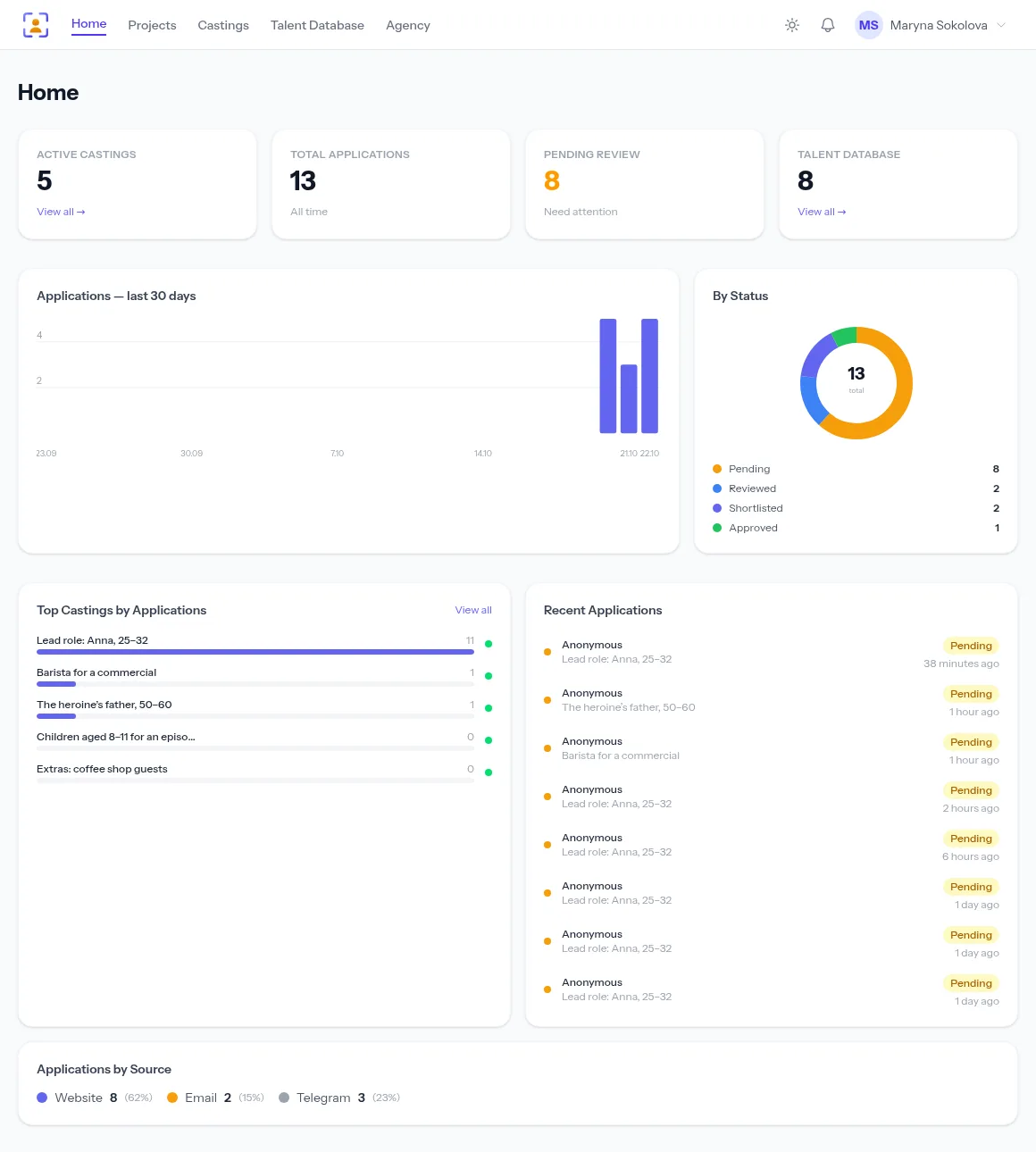
This overview helps with promotion decisions: if the father role got one application in a week, the problem is most likely not the actors but where the call was published.
Working as a team
If several people handle selection, agree on the rules:
- one person, one pass. An assistant does the first cut, the casting director the second and third;
- decisions are statuses, not chat messages. Then the history of choices is visible to everyone and nobody re-reads a profile from scratch;
- impressions go into notes. "Holds a pause well, weak singing" — write it in a note on the talent's profile in your database. Notes are personal and only you can see them, so record the team's shared decision with a status anyway.
How to invite colleagues and split permissions is covered in Teamwork in a casting agency.
Don't forget to reply to candidates
An actor who applied and never heard back may not apply next time. You can answer applications from Telegram and email right from your account — the message goes to the same chat or to the sender's address. A short "you're through to the next round, please send a self-tape by Friday" saves you time and builds the reputation of an agency people want to apply to.
In short
Don't decide everything at once. Pass one is only for cutting, pass two is a careful look, pass three compares the finalists. Record decisions with statuses, keep applications from every channel in one list and reply to candidates — then even a big casting takes one evening.
Everything this feature does, on one page: Shared shortlists.