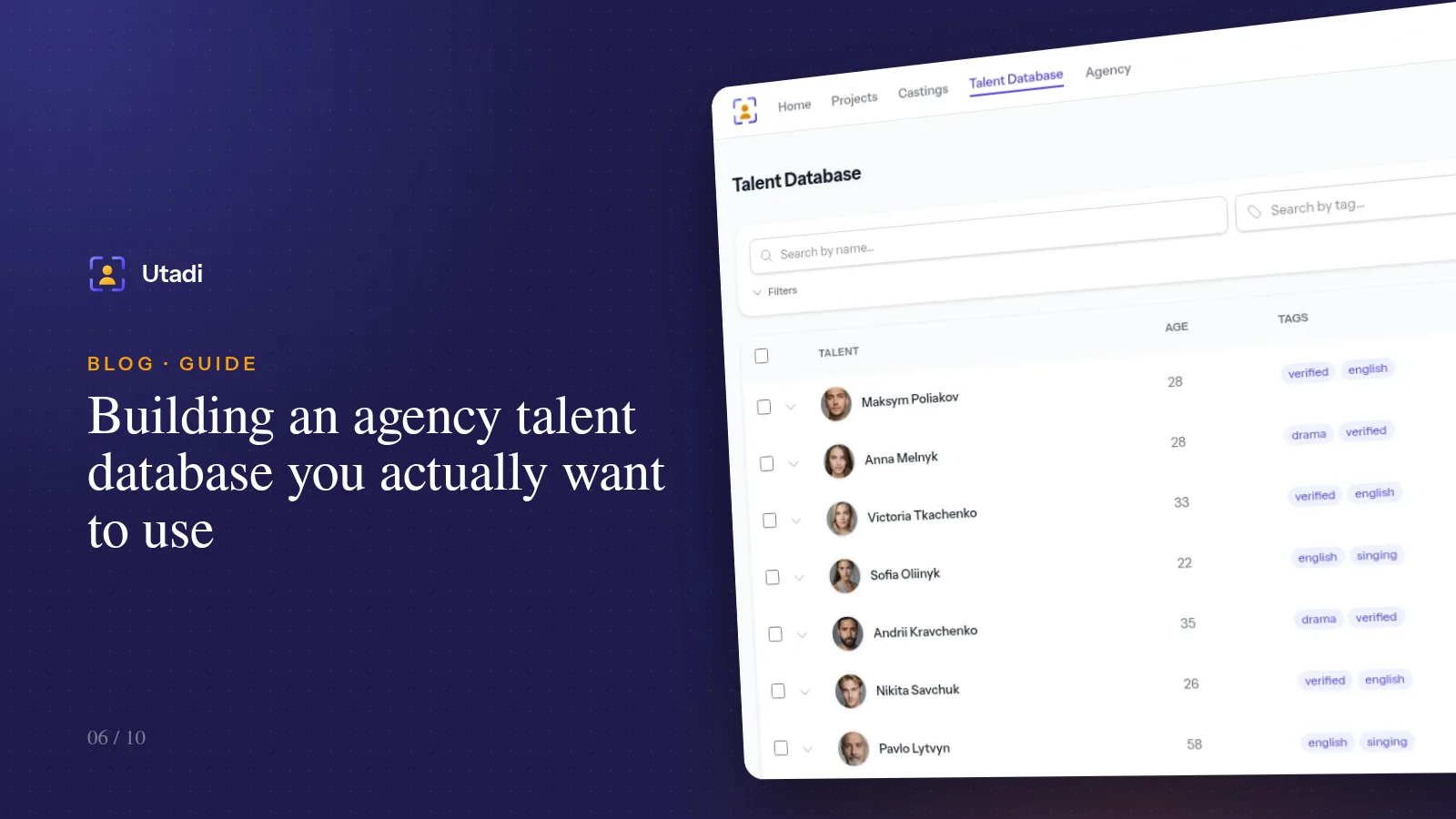
Every casting director keeps files of some kind: folders on a drive, a spreadsheet with hundreds of rows, or just memory and photos on a phone. All of these work while the list is small. Once it reaches a few hundred actors, finding "a man of 50–60, grey-haired, with stage experience and good English" becomes a half-day task.
A good talent database answers that question in a minute. Here's how to build one.
A private database
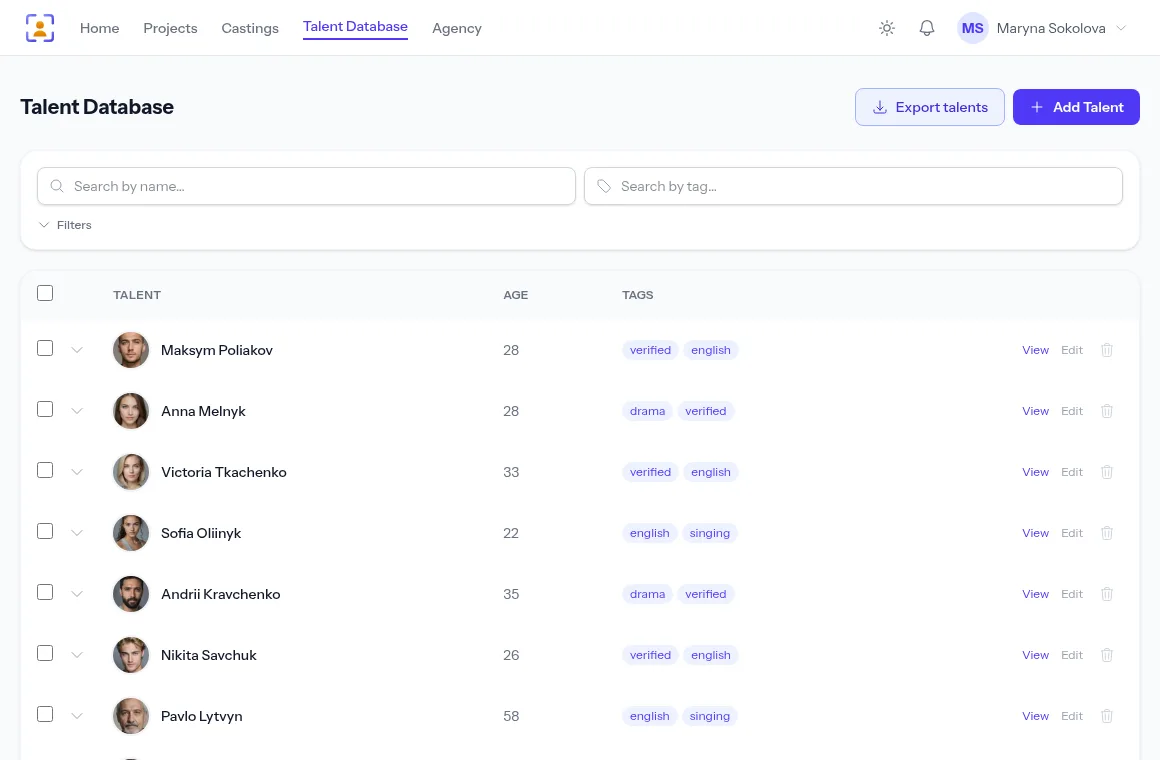
The talent database in your account is private: only you can see the profiles you create. They are your working records — nobody else sees your post-audition notes, your tags or the actors' contact details. The profiles still count towards your agency's limits: the number of talents and the storage quota.
Separate from it is the platform's talent search — public profiles of actors who signed up themselves. Their contacts are shown only if the actor chose to share them, or after they have applied to one of your castings.
Where profiles come from
- By hand — the Add Talent button, for actors you have already worked with.
- From applications — when processing an email or a Telegram message, choose "Add to agency database". Photos from the message move into the profile.
- After a casting — save strong candidates who didn't get the role straight away, while you still remember why you liked them.
Tip. Don't save only the approved actors. The approved one stays in the project history anyway; it's the "almost" actress with a strong audition you'll be looking for three months from now.
What to keep in a profile
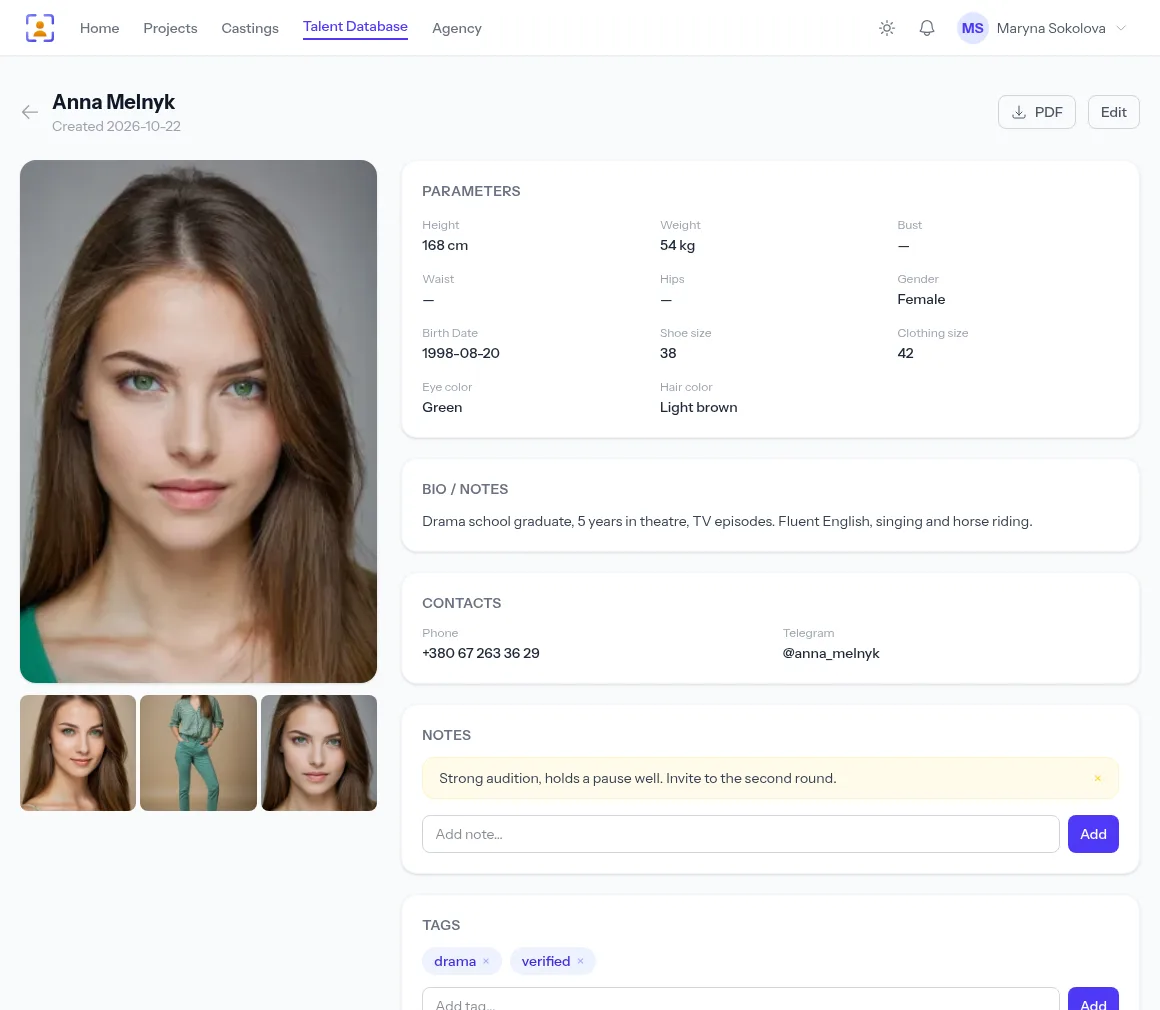
Photos. At least three: a headshot, a full-length photo and something characteristic — in costume or from a shoot. The first photo becomes the title photo, shown in lists and exports. A picture where the actor looks "like in real life" matters more than a glossy one.
Measurements. Height, weight, bust/waist/hips, clothing and shoe size, eye and hair colour. For commercial castings clothing size often matters more than experience — fill these fields in even if they seem unnecessary.
Video. Showreels, self-tapes, clips from roles — as a file or a YouTube link. On plans with media conversion, videos are re-encoded at the quality you choose and the original is kept for download.
Documents. CVs, riders, parental consent forms for child actors — stored in a closed section that can't be reached through a public link.
Bio and skills. Experience, training, languages, driving, singing, sports, dance. Duplicate the skills you'll search for as tags — search works by name and by tag.
Tags are your search system
Measurements describe appearance; tags describe everything else: "drama", "comedy", "verified", "english", "singing", "unreliable", "worked on Grain". Tags show in the list, and you can search by them.
A few rules that make tags useful:
- short and consistent — decide once whether you write "eng." or "english", or search will find only half;
- about the work, not the looks — appearance has its own fields and filters;
- projects as tags — mark which projects someone has already been in; it saves you from "he was with us last season in another role".
Notes after auditions
A note is what you remember about a person that a photo can't show: "strong audition, holds a pause well", "runs late", "great with kids". Notes and tags are personal — only you see them, so you can be honest. Write them right after the audition: in a month the details fade.
Filters: find a type in a minute
Open the filters above the list and narrow the database by gender, age, height, clothing and shoe size, eye and hair colour. Combine them with a tag search: "women 25–32, height from 165, tag drama" — and out of three hundred profiles eight remain.
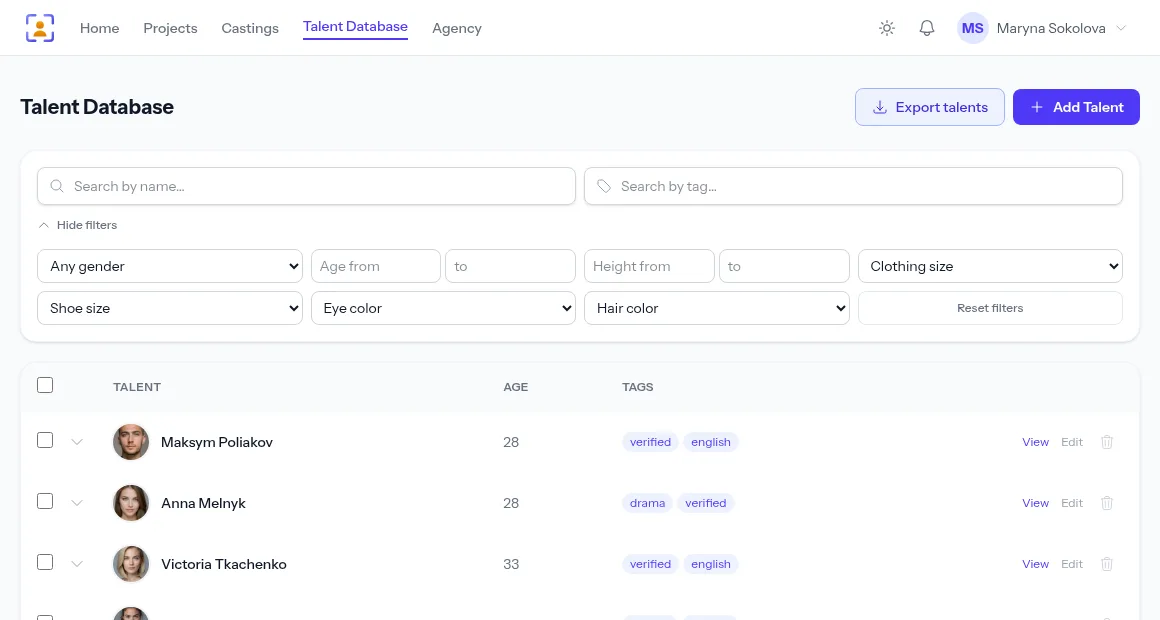
You can export the filtered list straight away — to PDF for the director or to Excel for the producer. The export respects the filters and covers every page of results. More in Exporting actor profiles.
Privacy and access
- Actors' contacts in your database are visible only to you. When you need to show candidates to colleagues or a director, export a selection and decide yourself whether contacts go into it.
- The right to delete profiles is granted by the agency owner. A staff member without it can edit profiles but not delete them, so a stray click never costs you records.
- Storage: photos, videos and documents use your plan's storage quota. The Storage page shows what takes up space, and you can delete what you no longer need.
Keeping the database in shape
- Refresh photos of active actors every six months — people's looks change.
- Remove duplicates: if someone came in through both the form and Telegram, keep one profile.
- Tag those who asked not to be invited again — and respect it.
In short
A talent database pays for itself by the third or fourth casting, when the right type turns up in a minute instead of a new casting call. Save strong candidates after every casting, fill in measurements and skills, keep your tags consistent and write notes right after auditions.
Everything this feature does, on one page: Agency database software.