The shortlist is ready — now you have to show it. The director wants to see faces, the producer wants height, sizes and ages in one table, wardrobe only needs clothing and shoe sizes, and the client's ad agency will ask you to "send everyone in one file". Doing it by hand — screenshots of profiles, copying measurements into a spreadsheet, zipping photos — costs you an evening.
The talent database export does the same in a minute.
Where to find the export
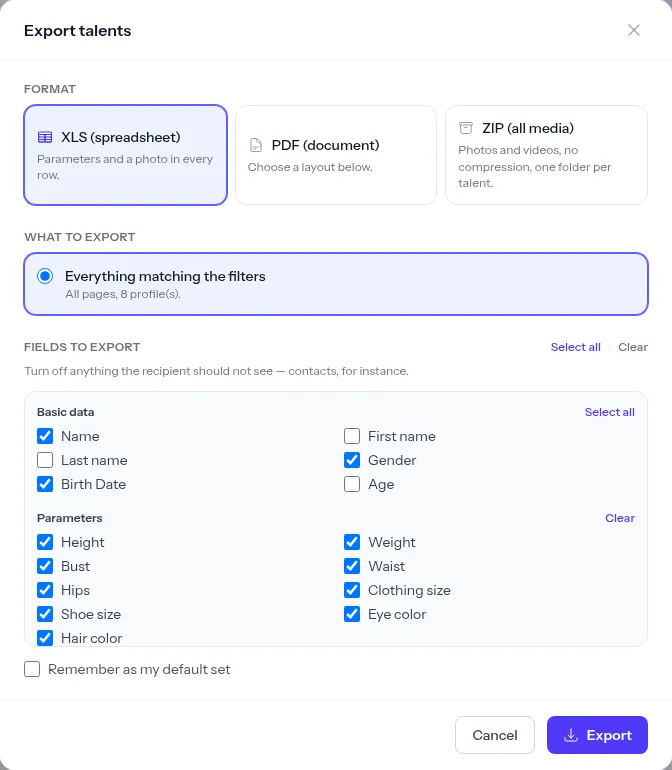
Open the Talent Database and click Export talents. A dialog opens where you choose, in order, the format, the layout, what to export and which fields to include.
Three formats for three different jobs
| Format | For | What's inside |
|---|---|---|
| director, client, producer | profiles with photos, laid out for viewing and printing | |
| XLS (Excel) | producer, coordinator, wardrobe | a table: one row per actor, title photo in the row |
| ZIP | editor, photographer, client | every photo and video uncompressed, a folder per actor |
PDF: four layouts
- List without photos — a compact table of measurements. Good for internal sign-off when everyone already knows the faces.
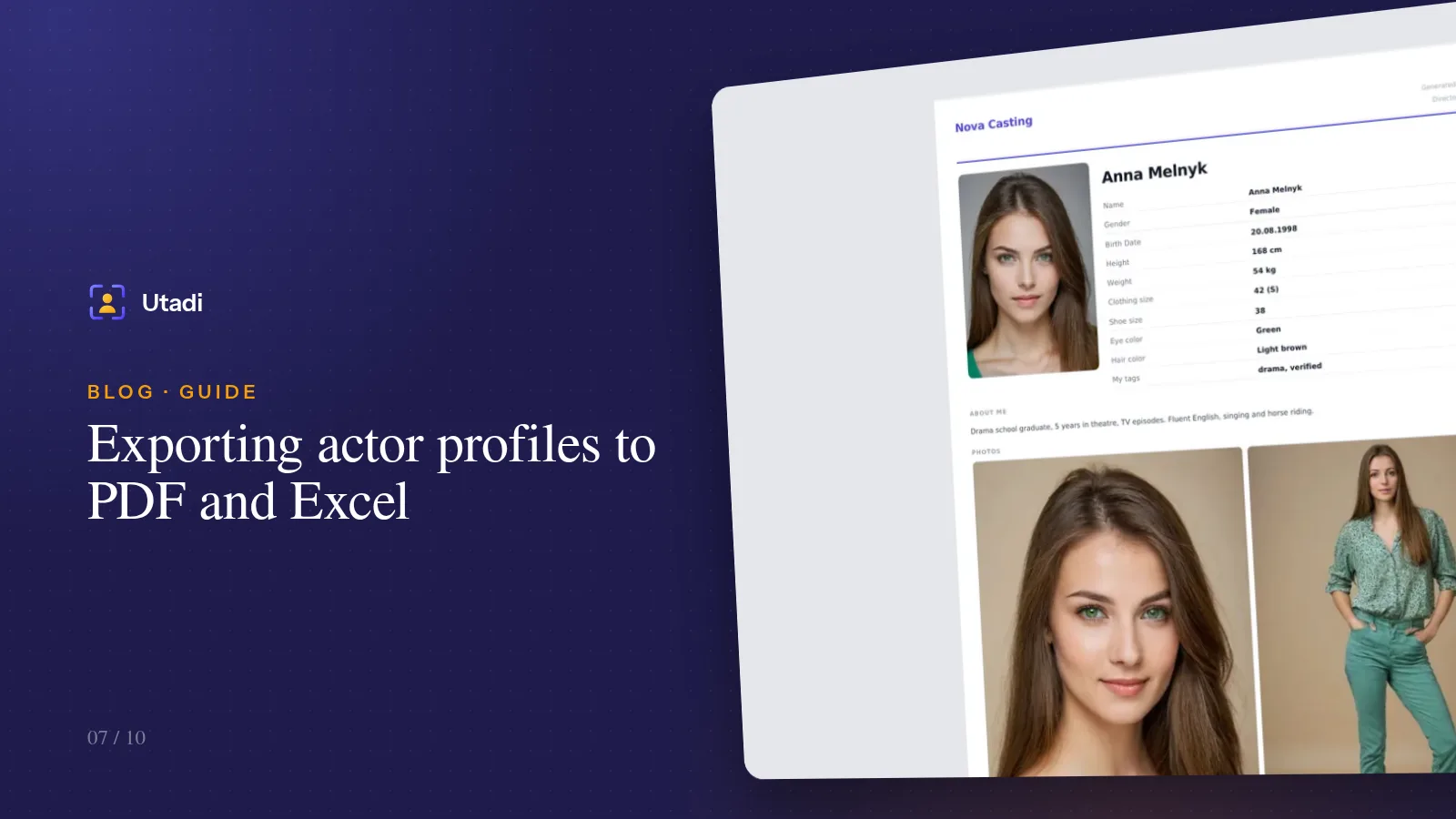
- One card per page — a large title photo, a few more photos and every field you picked. The classic "portfolio" for a director.
- Four per page — a landscape sheet, four actors in a row with large photos. Great for a first look at the shortlist.
- Six per page — a portrait sheet with compact cards. For long lists of extras.
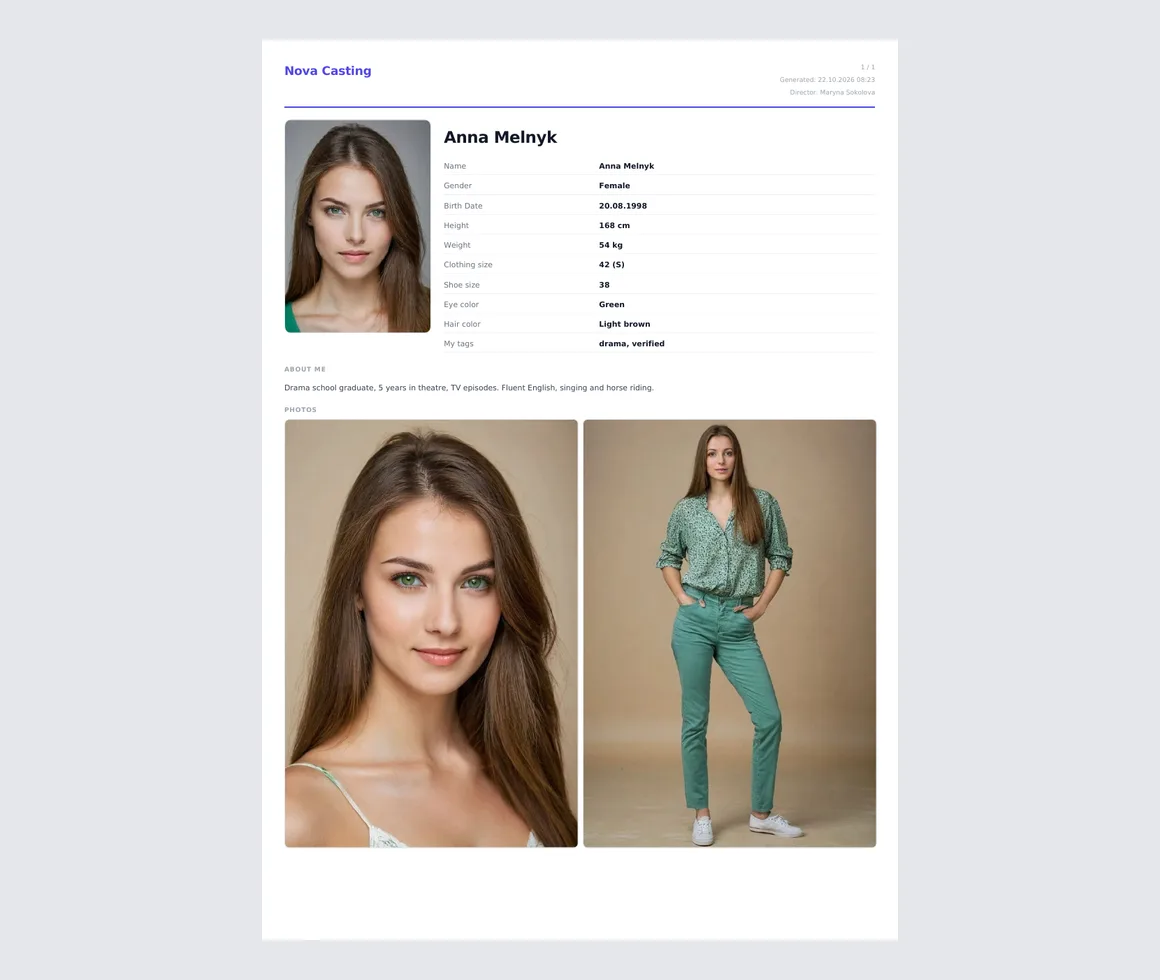
Every PDF is branded with your agency — logo and name in the header. The platform's name never appears in the document: the client sees a selection from you.
Excel: a table to work with
One row per actor, the title photo right in the cell. Phone numbers and sizes are stored as text, so Excel won't turn +380 67… into a number in scientific notation or a size of 42 into a date. The table is easy to sort, filter and extend with your own columns: "fee", "availability", "approval status".
ZIP: originals without loss
An archive of photos and videos in their original quality, with no compression. Inside there's a folder per actor (01-anna-melnyk/), the title photo is named 00-title, and a talents.csv index sits at the root. This is the format for people who will keep working with the material: editing, building a presentation, printing.
What to export: filter or selection
The export has two modes:
- Everything matching the filters — every actor currently visible in the database with your filters applied, across all pages, not just the first. Filtered "men 50–60, tag drama" — that's exactly who you get.
- Selected only — tick specific people in the list and only they go into the export.
Tip. For a director, filter the database first, then untick anyone who definitely shouldn't be shown, and export the selection. No random people end up in it, and you don't have to remember surnames.
Which fields to show — and why contacts are off
Fields are grouped: basic details, measurements, contacts, "About and experience" and "My tags and notes" — yes, you can export your own tags and notes too, for example in an internal list for the team. Turn off whatever the recipient doesn't need. Contacts are off by default, and that's deliberate. A selection sent to a client or production is often forwarded further, and actors' phone numbers shouldn't leave the agency unless you decide so.
If you often export the same set of fields, tick Remember as my default set. A one-off change doesn't overwrite it.
Large exports
A small export is built instantly and downloads within seconds. A large one — hundreds of profiles in a PDF or gigabytes of video in a ZIP — is built in the background: close the dialog and keep working, and you get a notification in your account when the file is ready. Recent exports are listed in the same dialog. Finished files are kept for 24 hours and then deleted — they may contain personal data, and there's no reason to keep them longer.
Exporting a single profile
Sometimes you need one actor, not a selection. The profile page has a PDF button that builds that talent's sheet with photos and measurements straight away. Handy when the director asks in a chat: "Can you send me that actress from the audition?"
Which format to choose: a cheat sheet
- First look at the shortlist for the director → PDF, four per page.
- Final selection for client approval → PDF, one card per page, no contacts.
- Checking sizes with wardrobe → Excel with clothing size, shoe size and height.
- Material for a presentation or an edit → ZIP.
- An internal list for the team → PDF, list without photos, or Excel.
In short
Filter the database, pick the people and match the format to the recipient: PDF to look at, Excel to work with, ZIP to use the material. Check which fields go into the file and leave contacts out unless they're needed. PDF export is available on plans that include it; Excel and ZIP work on every plan.
Everything this feature does, on one page: Shared shortlists.