Email is a channel no casting agency can give up. It brings profiles from agents who represent several actors at once, self-tapes from experienced performers who don't like filling in forms, and emails from parents of child actors. The problem isn't the emails themselves — it's that they live apart from every other application.
Email intake solves this: the system reads your mailbox, finds the emails that belong to open castings and puts them into the same queue as replies from your website and Telegram.
What you need
- A dedicated casting mailbox — for example,
casting@your-agency.com. Don't connect your personal email: the system would be looking through all your incoming mail. - IMAP access — supported by Gmail, Outlook and almost every business mail server.
- A plan with email intake — this feature is available on paid plans.
Step 1. Connect the mailbox over IMAP
Open Castings → Email inbox → IMAP settings and fill in:
| Field | What to enter | Example |
|---|---|---|
| IMAP server | your incoming mail server | imap.gmail.com |
| Port | usually 993 for SSL | 993 |
| Login | the full mailbox address | casting@agency.com |
| Password | an app password (see below) | •••••••• |
| Encryption | SSL | SSL |
| Folder | where to read mail from | INBOX |
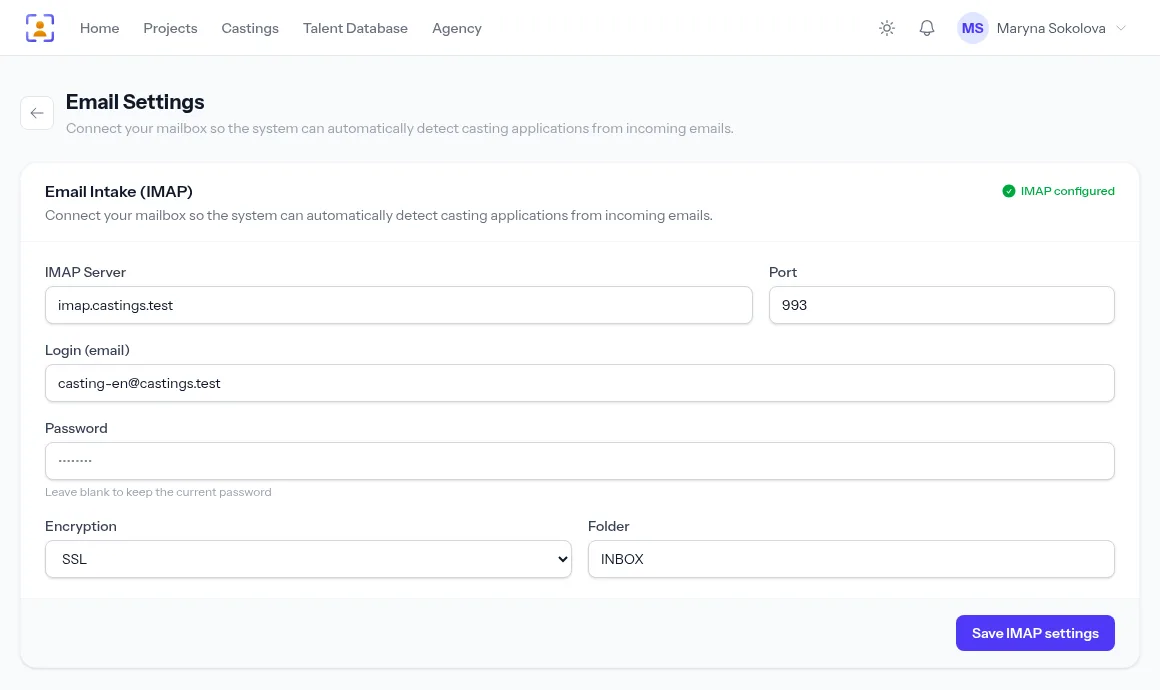
Tip for Gmail and Outlook. These services don't let third-party apps in with your normal password. Turn on two-step verification and create an app password in your account's security settings — that's what goes into the Password field. Your main email password is never stored anywhere.
Step 2. Give the casting a keyword
An email is matched to a casting by its keyword — the same one used for Telegram. The system looks for it in the subject and body, ignoring case. Ask for it in the casting call: "Subject: FATHER — first and last name".
If you have several open castings, each needs its own word. An email that contains no keyword at all goes to the Unsorted tab for you to handle by hand.
How often mail is checked
The mailbox is checked automatically every 5 minutes. If you're expecting an important email right now, click Collect emails — the system fetches new mail immediately and tells you how many emails were matched to castings, how many stayed unsorted and how many turned out to be duplicates.
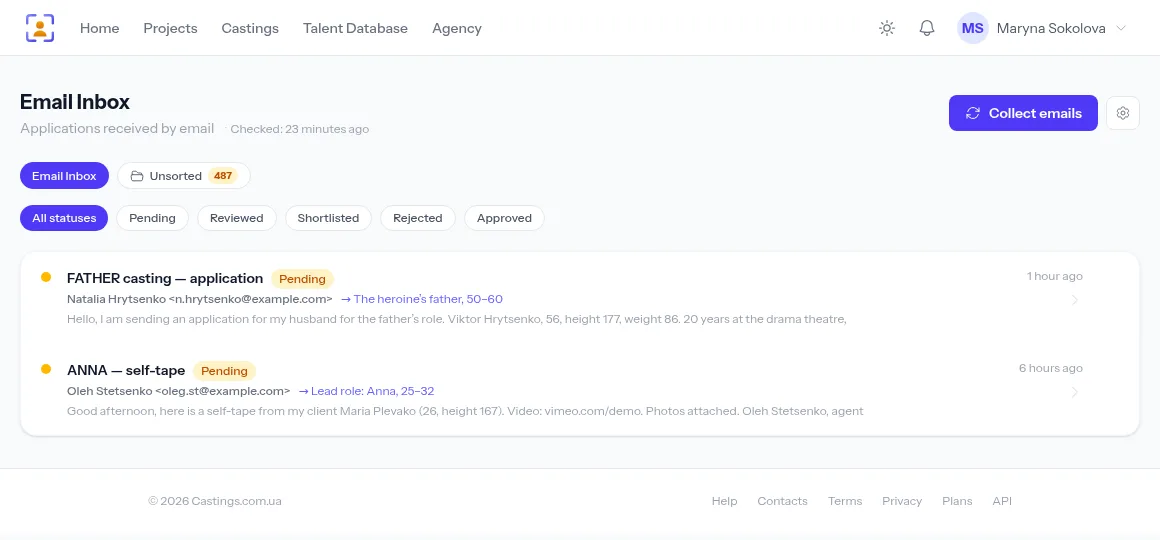
Duplicates are dropped automatically: the same email never becomes two applications, even if it was forwarded again or the mailbox was checked twice.
Attachments and links
Photos, videos and documents from attachments are stored with the application and count towards your agency's storage. Video and photo links in the body — YouTube, Vimeo, cloud drives — stay links: the system doesn't download them but shows them next to the application so you can open them in one click.
Tip. Ask people to send videos as links rather than attachments. Many mail servers simply reject a message with a 300 MB video, while a link always gets through.
From email to profile
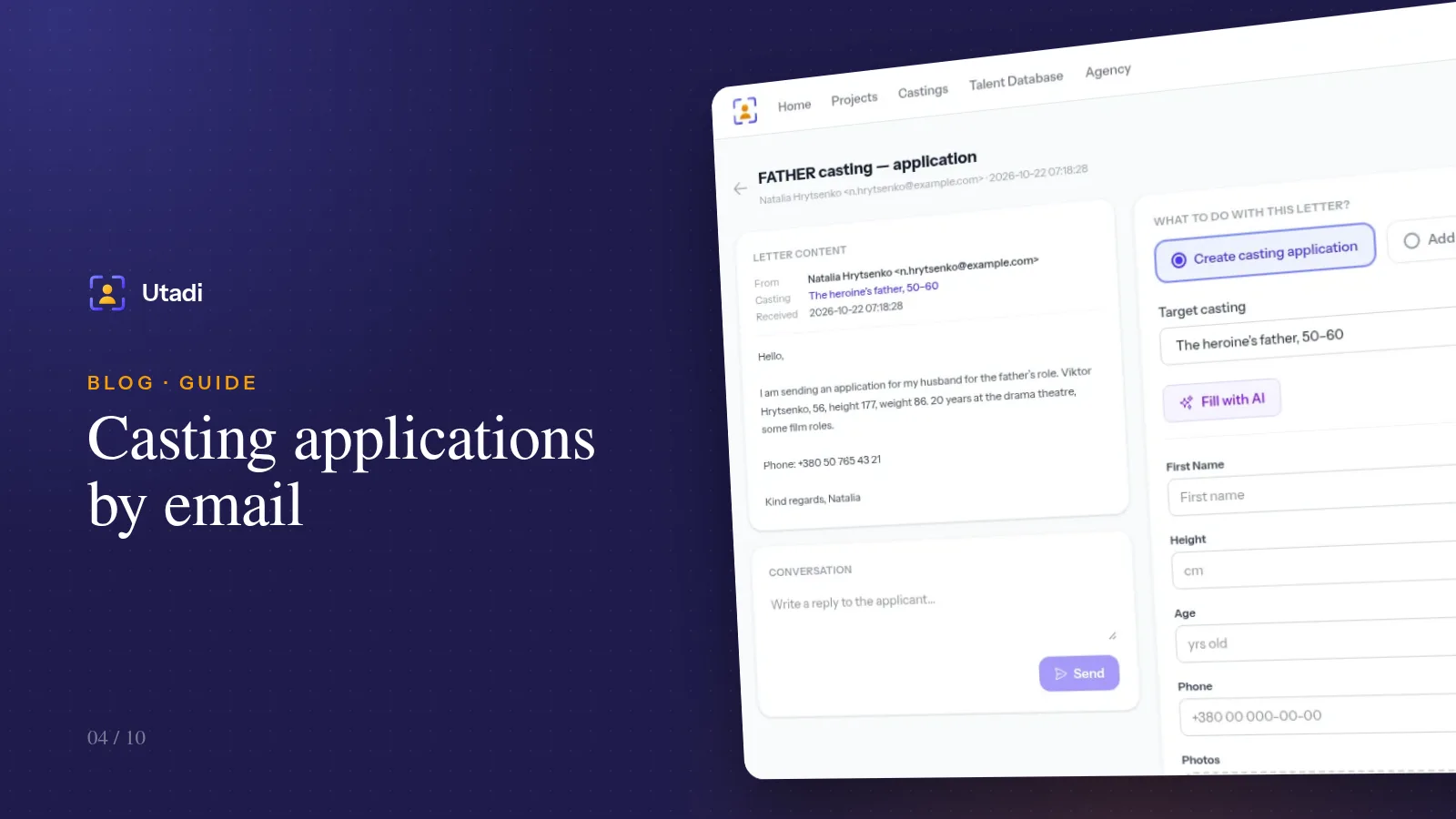
Open an email: its content is on the left, the processing form on the right. Choose what to do:
- Create casting application — the email's details become a complete application with the casting's fields;
- Add to agency database — the person is saved to your talent database for future projects;
- or both at once.
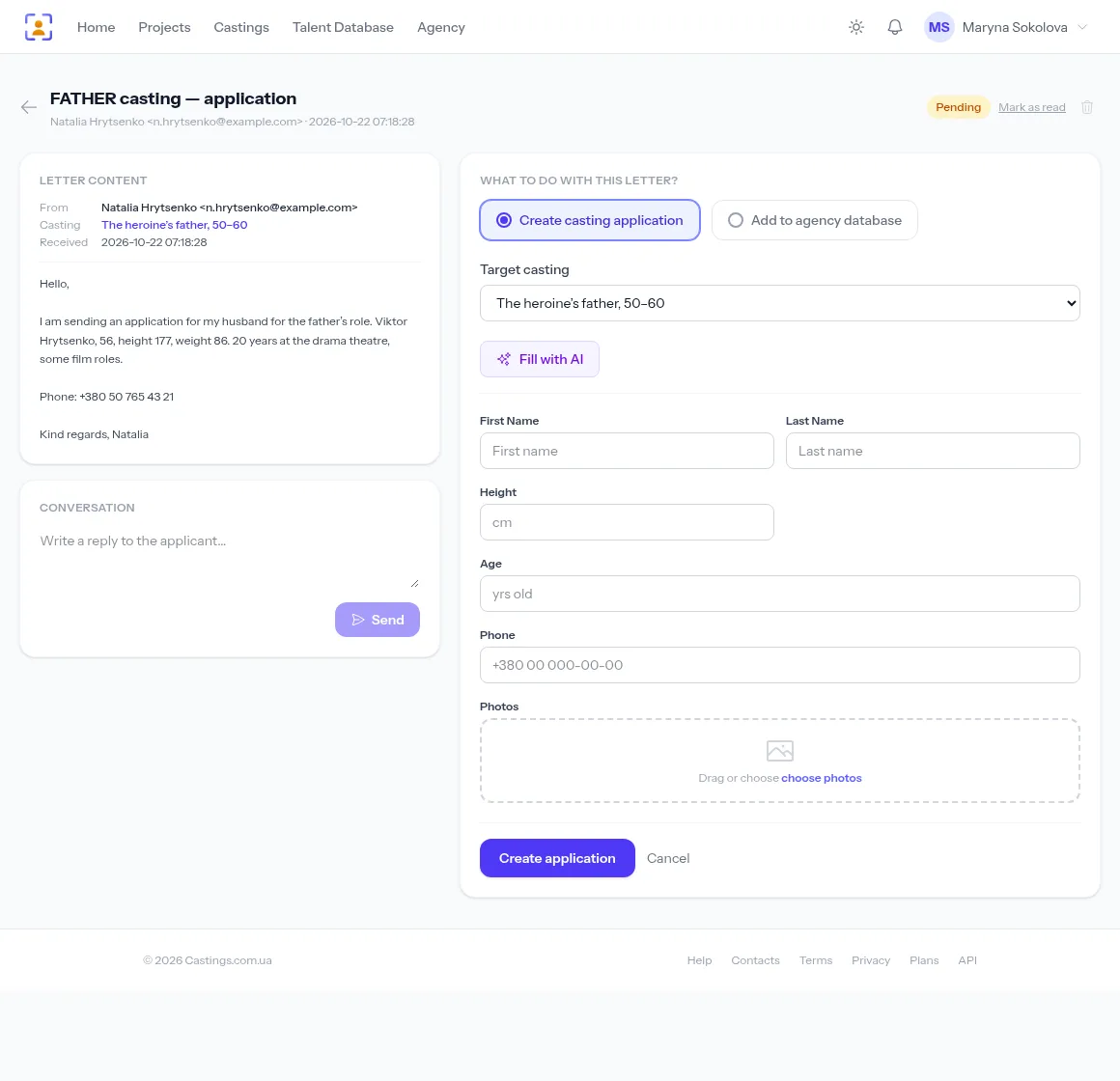
You don't have to copy names, ages and phone numbers by hand: the Fill with AI button reads the email and fills in the form — you only check it. And if you turn on AI auto-processing for the casting, emails become applications without you doing anything. Details in AI parsing of casting applications.
Reply to the candidate from your account
Below the email there is a Conversation block. Write a reply — it goes to the sender's address with a "Re: …" subject, and the history stays in your account. That way an assistant can see the candidate has already been answered and doesn't write a second time.
Emails from agents with several actors
An agent may send one email with three actors' profiles. Process it several times: each time pick the right photos from the attachments and fill in one person's details. After the first pass the email gets the "Reviewed" status but stays in the inbox — open it again and file the next actor.
FAQ
Are emails marked as read in my mailbox? No. The system reads emails without changing their status in the mailbox: it remembers when it last checked and only takes what arrived since. Your email client stays exactly as it was.
Can the whole team share one mailbox? IMAP settings belong to a casting director, but the applications go into the agency's castings, so every staff member with access to castings sees them.
What if an email contains the keywords of two castings? It's matched to the first open casting that fits. If that's the wrong one, you can pick the casting when processing it.
In short
Connect a dedicated mailbox over IMAP with an app password, give your castings keywords and ask people to put them in the subject line. The system does the rest: it checks mail every 5 minutes, matches emails to roles, drops duplicates and keeps attachments — and you work with applications instead of a mailbox.
Everything this feature does, on one page: Telegram & email intake.