
Agency page
Your casting agency website updates with every new casting
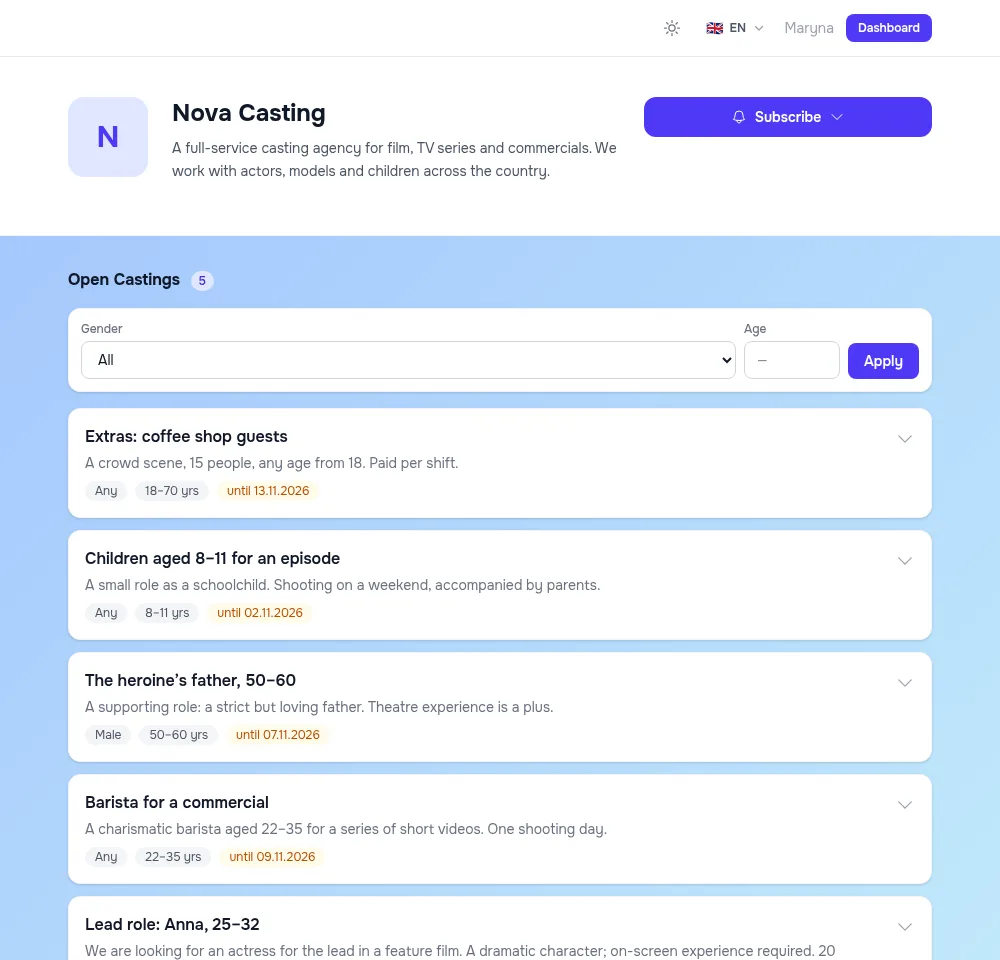
Your agency gets its own page at an address like your-agency.utadi.com: logo, description, contacts and every open casting with its application form. Actors subscribe to new roles, and the page can be embedded into your own website.
- Your own subdomain, logo and styling
- Subscriptions to new castings by email, push and Telegram
- A widget for your website and a REST API for developers
A free plan with no time limit, no card required.

An agency website usually goes stale faster than a casting closes
Castings posted by hand
Every role goes onto the site, the channel and social media — and has to be taken down once intake closes.
A published casting appears on the agency page by itself and leaves the open list by itself after its closing date.
Actors miss new roles
People who already applied to you never see the next casting unless they stumble on a post.
Subscribers get new roles by email, push or Telegram without you lifting a finger.
Someone else’s brand
A generic form or an aggregator listing — and the actor can’t tell which agency they’re applying to.
Your logo, colours, background and subdomain, so the actor sees which agency they apply to.
One page with every open casting
A published casting appears on the agency page straight away and leaves the open list once its closing date passes. Actors filter roles by gender and age and apply through the form, no sign-up needed.
- Your own subdomain: your-agency.utadi.com
- You choose how many castings per page and whether to show finished ones
- The page is listed in the sitemap for search engines
Styled to your brand
Your logo, description and contacts, a page background — a colour, a gradient or your own image — plus the colours and shape of buttons and cards. Save a finished look as a preset. You also set the page’s default language.
- Eight interface languages
- Background, colours and language carry over to the casting form
- Light and dark themes for visitors
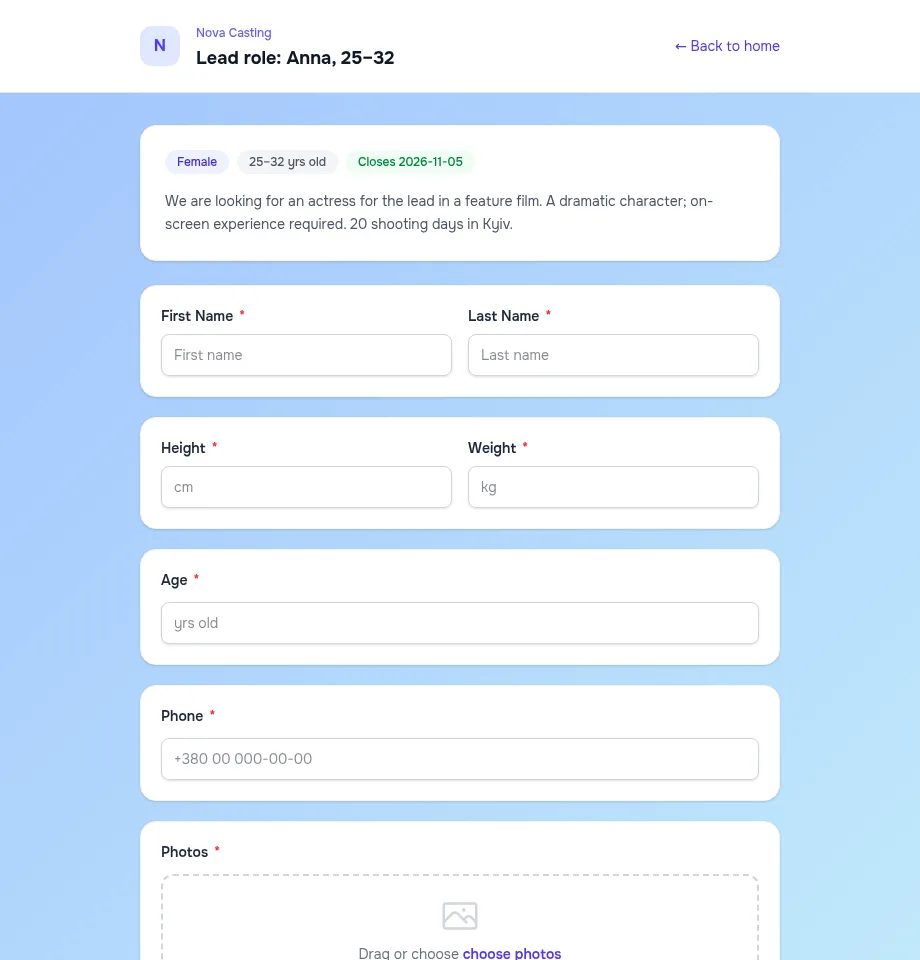
Subscribers hear about new roles first
Actors subscribe to the agency right on its page and pick a channel: email (the address is confirmed with a code), browser push notifications or Telegram. No account is needed to subscribe.
- Telegram and push right after publishing, email as a daily digest
- Subscribers can unsubscribe at any time
Team, widget and API
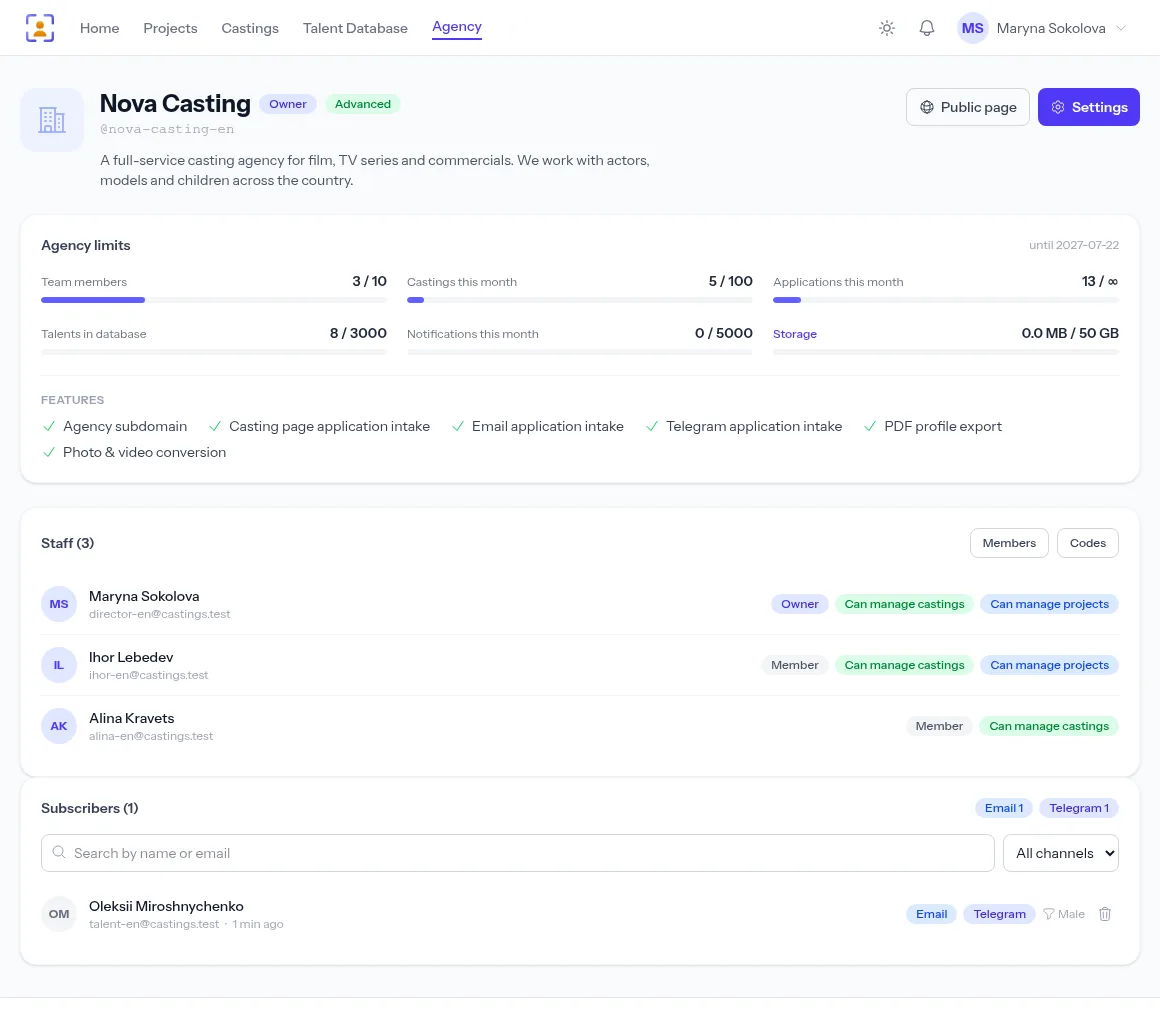
Invite colleagues with a code and give each their own permissions. Castings with their application form embed into your website with one snippet of code, and developers get a REST API with ready-made PHP and Python libraries.
- Permissions: castings, projects, deleting profiles
- Your agency logo heads every PDF export
How to launch the page
- 1
Create an agency
Name, subdomain address, logo.
- 2
Style the page
Background, colours, language and contacts.
- 3
Publish a casting
It shows up on the page at once.
- 4
Grow subscribers
Actors will see your next role on their own.
Frequently asked questions
What address will the agency page have?
A subdomain you choose, for example your-agency.utadi.com. You set the name when creating the agency; service names such as www or mail can’t be taken.
Can I show the castings on my own website?
Yes. The agency settings give you a widget code — paste it into your site and your castings appear there with their application form. For a custom integration there’s a REST API with PHP and Python libraries.
Which channels do subscriber notifications use?
By email, browser push notifications and Telegram. Subscribers don’t need an account, and notifications are not limited.
How many colleagues can I invite?
Everyone works under their own account with their own permissions. How many seats each plan includes is on the pricing page.
See pricingDoes the page show the platform’s name?
The page is styled as your agency: the logo, name, colours and contacts are yours. PDF exports for clients don’t mention the platform at all.
From the blog
Your casting agency page: a showcase of castings and a subscription for new roles
Your own page with every open casting, your branding and a subscribe button — actors hear about new roles first, and you get applications without paying for ads.
Teamwork in a casting agency: staff, permissions and invite codes
A casting is rarely one person's job. How to bring assistants and colleagues into your agency account, split permissions and stay in control of your castings.
How to run an online casting call: a step-by-step guide for casting directors
From the announcement to the approved actor — how to publish a casting call, collect every application in one place and never lose a candidate.
More features

For casting directors
Online auditions, self-tapes, statuses and shortlists for the director, in one tool.
Learn more
For model agencies
A talent database, castings, team permissions and an agency website for casting and model agencies.
Learn more
Agency database
A talent database with photos, measurements, tags and filters by type.
Learn more
Online casting forms
A casting form with the fields, photos and self-tapes you need — no sign-up for actors.
Learn more
Casting call template
A ready casting call text and application form — copy them or publish them as an online form.
Learn more
Telegram & email intake
Your Telegram bot and mailbox turn messages into applications for the right role.
Learn more
Telegram casting bot
Your agency’s own bot takes applications by keyword and announces new castings.
Learn more
AI casting software
AI turns message text into application fields — on demand or fully automatically.
Learn more
Applicant tracking
Every casting submission in one list: statuses, photos, self-tapes and replies to applicants.
Learn more
Shared shortlists
A shortlist link: the client reviews candidates without an account and votes.
Learn more
PDF & Excel export
PDF presentations, Excel and a media archive from your database — with your logo and no stray contacts.
Learn more
API & integrations
A REST API with PHP and Python libraries: castings, applications and talent on your own website.
Learn moreLaunch your agency’s page
Create an agency for free — the page with your castings goes live right away.
Start for freeA free plan with no time limit, no card required.