
Applicant tracking
Casting applicant tracking by status, from the first application to the final cast
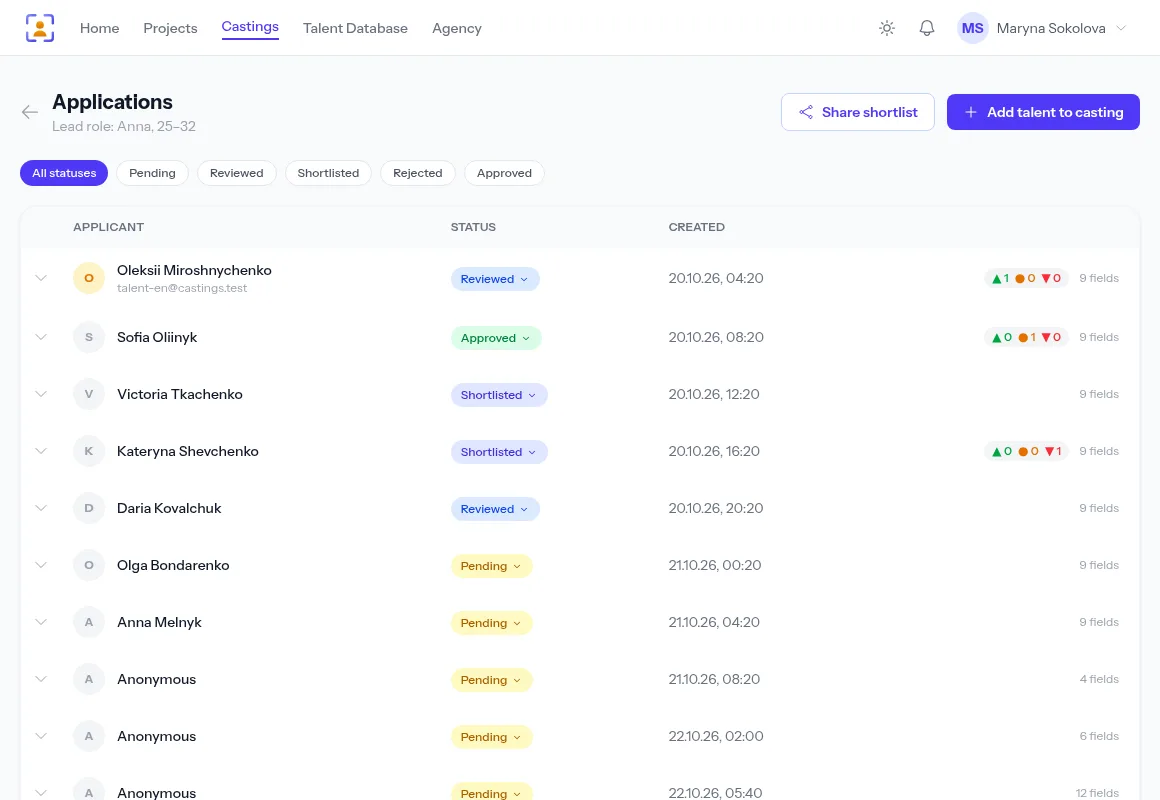
Online-form submissions, Telegram messages and emails all land in the casting’s single list. Move applicants through statuses, open photos and self-tapes right in the row, write to the actor from the same card — and send the finalists to your client as a link.
- One list per casting, whatever channel the submission came from
- Statuses: Pending → Reviewed → Shortlisted → Approved or Rejected
- Reply by Telegram or email without leaving the application
A free plan with no time limit, no card required.

When submissions are spread across channels, selection turns into searching
No idea what you’ve seen
A hundred replies in chats and emails — and no mark of which you opened and which you skipped.
Every application has a status, and the filter above the list shows only the new ones, so you see what is left.
Photos here, details there
To judge one actor you piece together a message, its attachments and a self-tape link from three places.
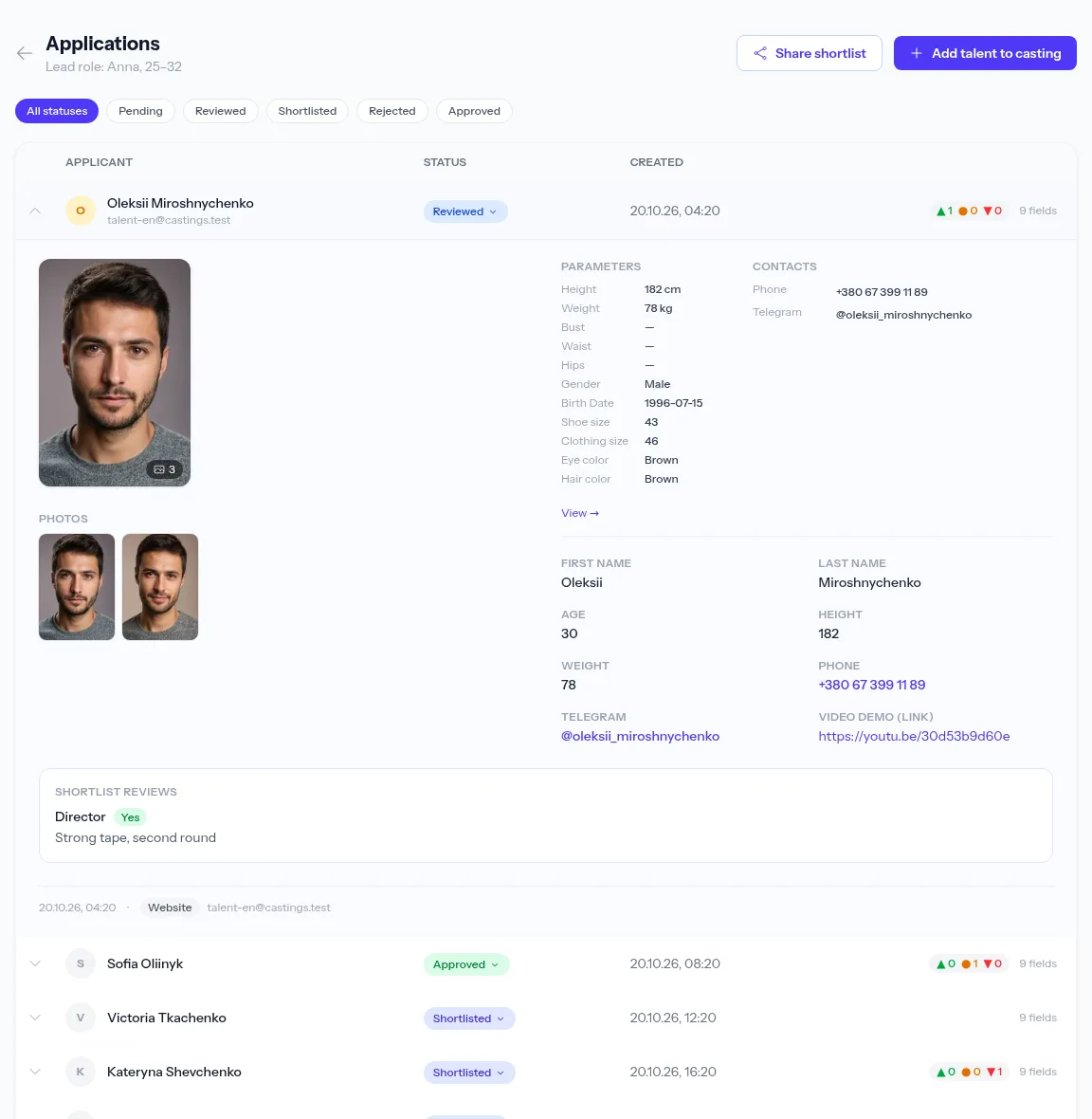
An application row opens into a card: photos, measurements, form answers and self-tapes in one place.
The shortlist lives in your head
Who moved on is kept in notes — and gets lost as soon as two people run the casting.
Statuses, tags and notes are shared by the whole team: a colleague sees who went through and why.
Every submission in one queue
Forms from the casting page, Telegram bot messages, emails to the agency inbox and manually added candidates sit in one list. Each row shows its source, and applications parsed by AI automatically carry their own mark.
- Filters by status and by tag
- A repeat submission from the same actor adds to the first instead of duplicating it
- Add a candidate from your own database by hand
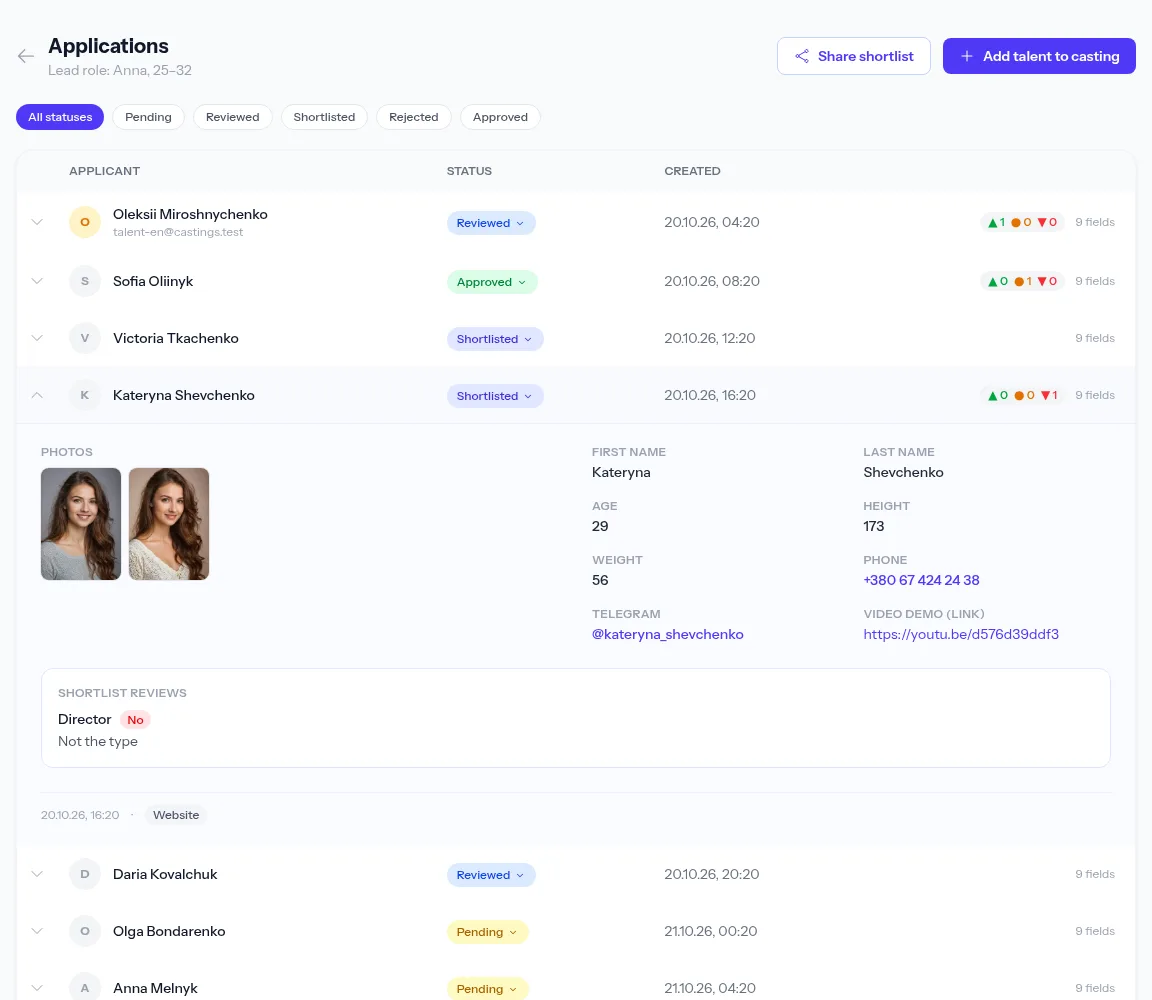
A candidate card with everything they sent
A row opens into a card: measurements, contacts, form answers, a photo gallery and self-tapes you watch right there. If the actor is already in your database, a link to the profile sits next to it.
- Browse photos in a gallery
- Download the original photos and videos, uncompressed
Tags and notes for the whole team
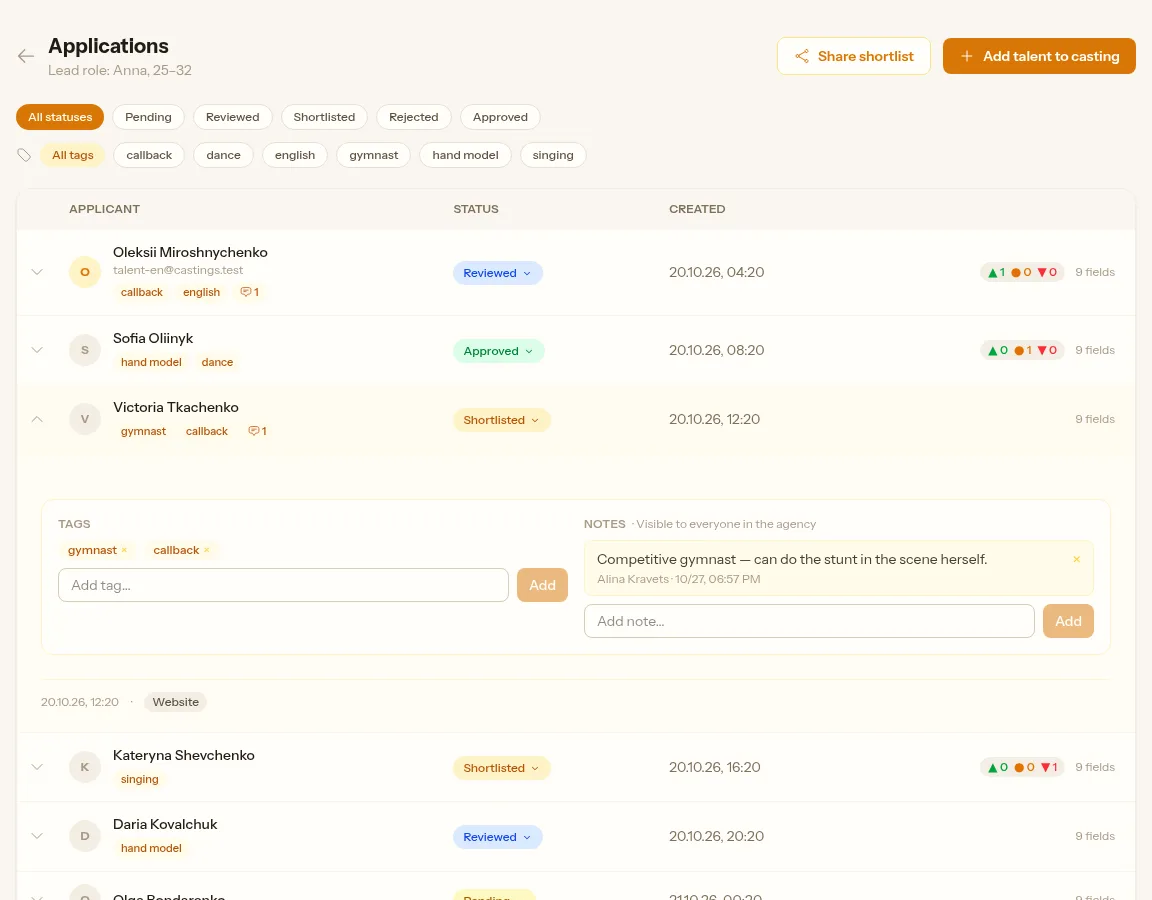
Tag applications with labels like “callback” or “needs English” and leave notes after watching. Everyone in the agency sees them: one person sorts the applications, another uses a tag to gather the ones for the director.
- Every note shows its author and time
- The team’s tags are suggested as you type
Reply to the applicant from the same card
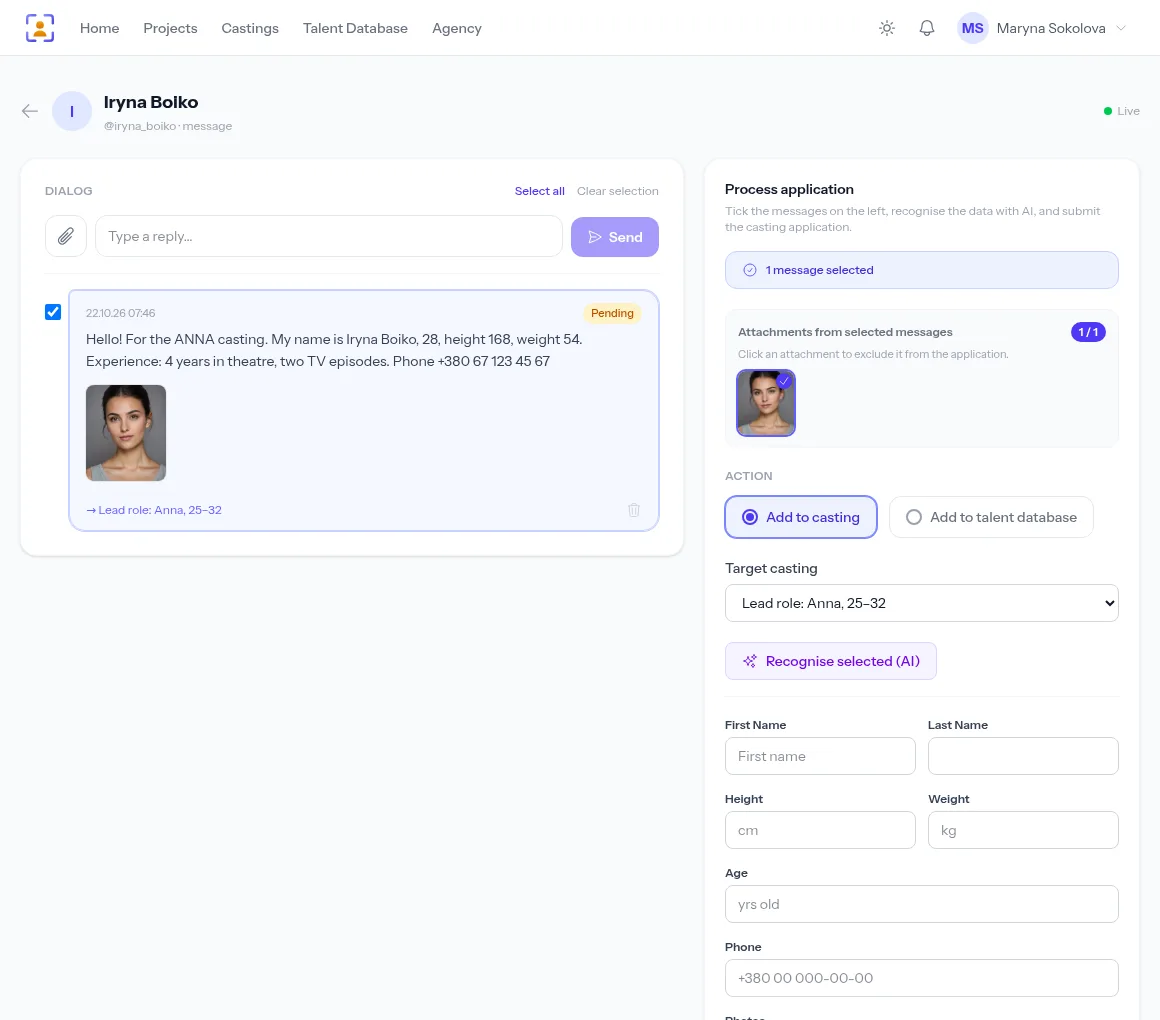
Need their height or another self-tape? For a Telegram application the button opens the conversation with the actor right inside the app; for an email, a reply to their address. The whole exchange stays next to the application.
- Telegram conversations inside the app
- Email replies with the history kept
Finalists to the client, decisions back to you
Candidates in Shortlisted and Approved go to the director or client as a single link. Their Yes / Maybe / No votes and comments show up in the application row — so you can see who to approve.
- No sign-up for the recipient
- Actors’ contacts are hidden by default
How selection works
- 1
Submissions arrive
From the form, Telegram and email — into the casting’s list.
- 2
Review
Expand the card, set a status.
- 3
Follow up
Write to the applicant straight from the application.
- 4
Get sign-off
Send the shortlist as a link and watch the votes come in.
Frequently asked questions
Which statuses does an application have?
Pending, Reviewed, Shortlisted, Approved and Rejected. You change the status right in the list, and the filters above it show applications in one status or with one tag.
Do Telegram and email submissions end up in the list?
Yes. A message with the casting’s keyword becomes an application for that role and joins the same list as web-form submissions, with a source badge.
Can I add a candidate by hand?
Yes. The applications page has an add button: pick an actor from your database or fill in the form on their behalf.
Do my colleagues see the applications?
Yes, if they are members of your agency. Staff permissions — running castings, projects, deleting profiles — are set per person. Statuses, tags and notes are shared by everyone.
What happens to the files when I delete an application?
Its photos and videos are deleted with it, and the space they took in the agency’s storage is freed.
From the blog
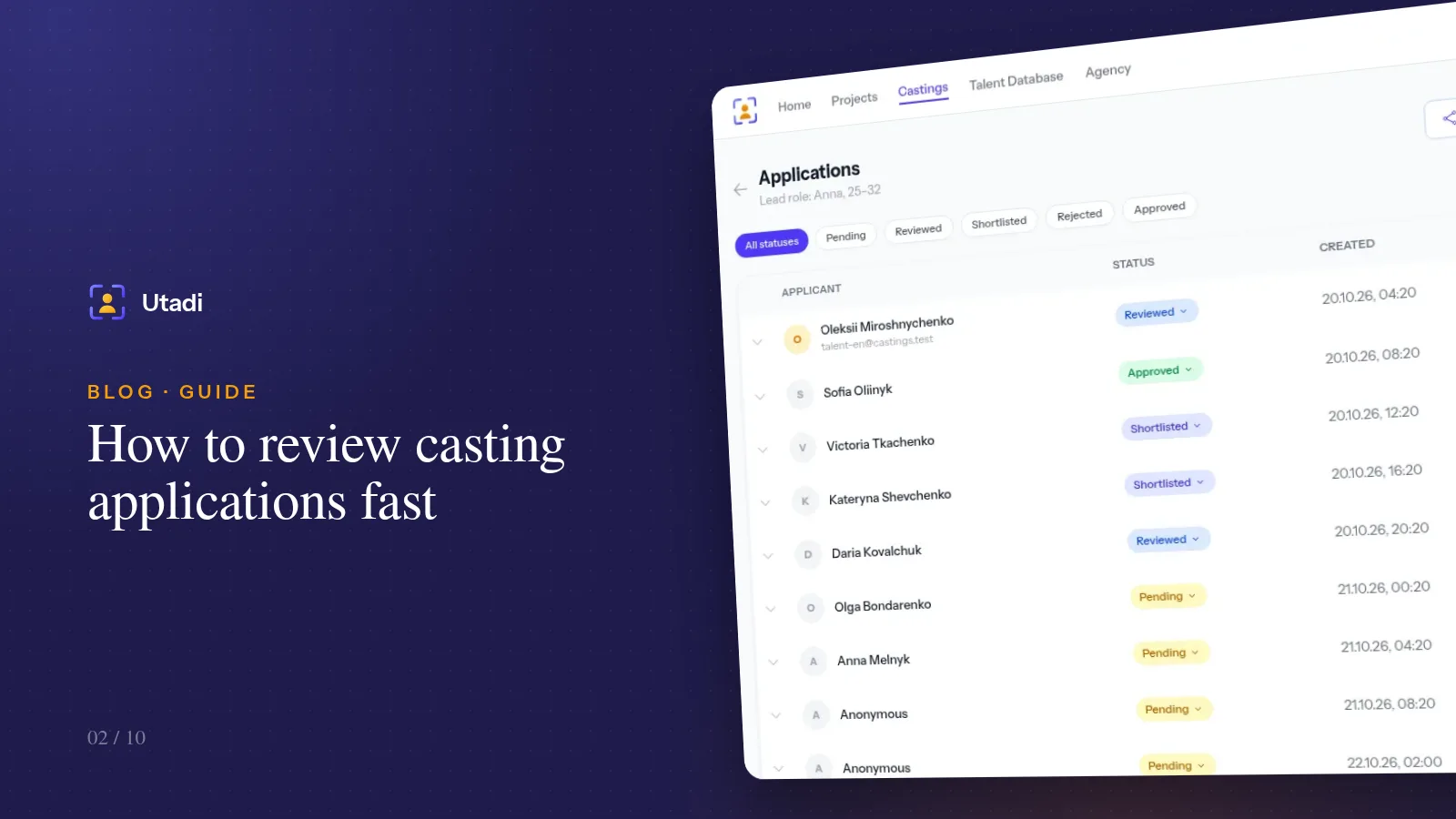
How to review casting applications fast: statuses, shortlists and teamwork
A hundred applications in one evening is doable if you never read the same profile twice. A status system, a review order and habits that save hours.

Accepting casting applications through a Telegram bot: a 10-minute setup
Actors have long been answering casting calls on Telegram. Connect your agency's bot and messages with photos and videos turn into applications for the right role on their own.
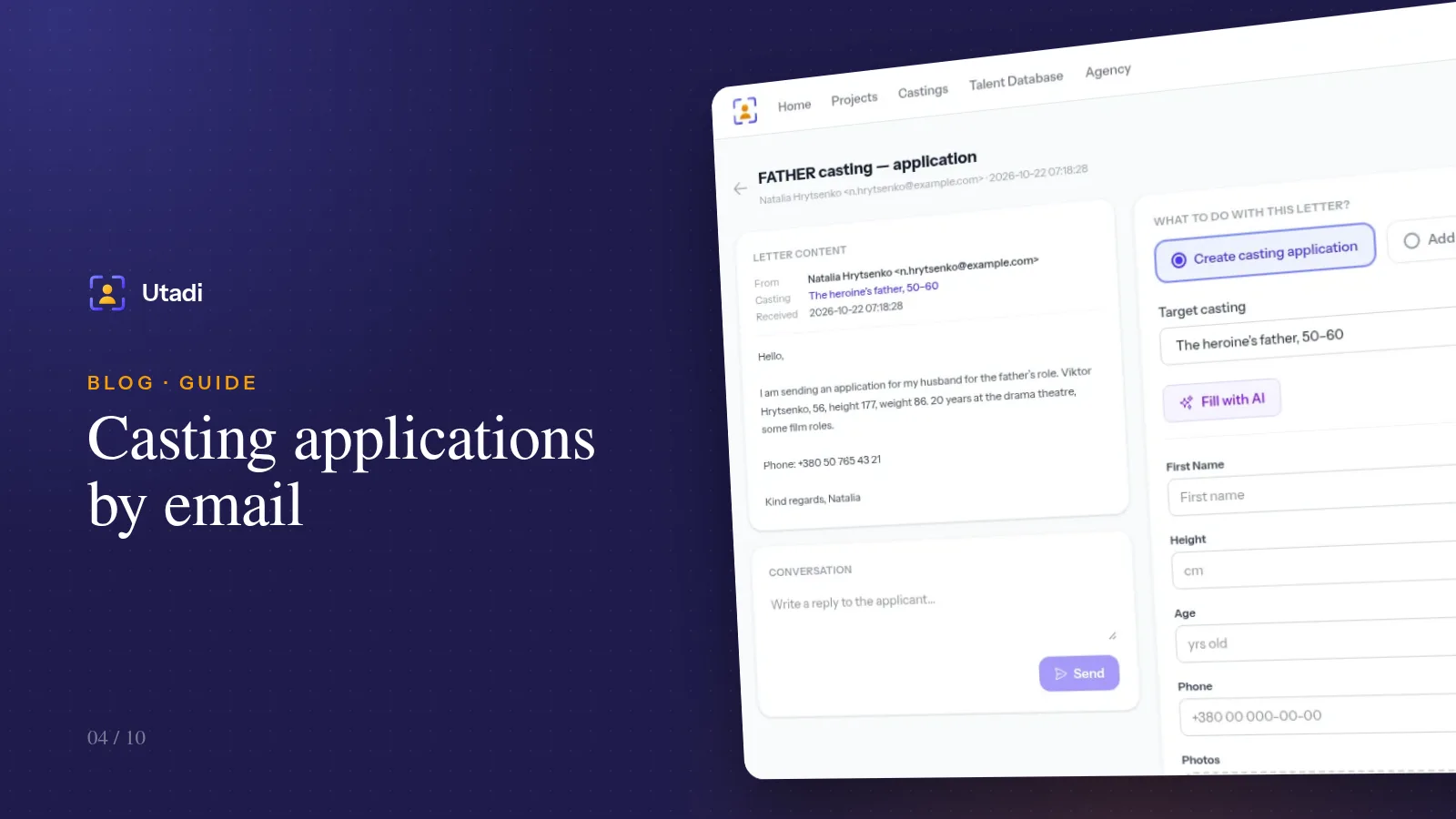
Casting applications by email: connect your mailbox and stop sorting it by hand
Agents and experienced actors still send portfolios by email. Connect your mailbox over IMAP and emails with the casting keyword become applications for the right role on their own.
More features

For casting directors
Online auditions, self-tapes, statuses and shortlists for the director, in one tool.
Learn more
For model agencies
A talent database, castings, team permissions and an agency website for casting and model agencies.
Learn more
Agency database
A talent database with photos, measurements, tags and filters by type.
Learn more
Online casting forms
A casting form with the fields, photos and self-tapes you need — no sign-up for actors.
Learn more
Casting call template
A ready casting call text and application form — copy them or publish them as an online form.
Learn more
Telegram & email intake
Your Telegram bot and mailbox turn messages into applications for the right role.
Learn more
Telegram casting bot
Your agency’s own bot takes applications by keyword and announces new castings.
Learn more
AI casting software
AI turns message text into application fields — on demand or fully automatically.
Learn more
Shared shortlists
A shortlist link: the client reviews candidates without an account and votes.
Learn more
PDF & Excel export
PDF presentations, Excel and a media archive from your database — with your logo and no stray contacts.
Learn more
Agency website
An agency page on your own subdomain: castings, actor subscriptions and a widget for your site.
Learn more
API & integrations
A REST API with PHP and Python libraries: castings, applications and talent on your own website.
Learn moreRun your next selection in one list
Create an agency for free and publish a casting — submissions start lining up with statuses.
Start for freeA free plan with no time limit, no card required.